











FTP, which stands forFile Transfer Protocol, isthe core technology for online file sharing. As a mature and reliable method, it enables users to quickly and conveniently exchange data between computers and servers, greatly simplifying the processes of uploading, downloading, and managing website files. In this era highly dependent on digital content, FTP isa crucial pillar ensuring seamless file transmission over the internet。
. If you are looking for a hosting provider that supports FTP, it is recommended to refer to our recommended high-qualityweb hosting providersto ensure that the chosen service meets your performance and functional requirements.
Key Takeaways
- FTP is a technology that transfers files between computers over the internet using a “client-server” model, primarily used for communication and file exchange.
- While FTP enables fast and convenient file transfers, it lacks robust security mechanisms, which increases the risk of data theft.
- When using FTP, to ensure security, it is advisable to opt for encrypted alternatives such as SFTP (SSH File Transfer Protocol) or FTPS (FTP over SSL) to protect data during transmission.
What is FTP?
FTP (File Transfer Protocol) is a technology fortransferring files between computers over the internet. It is simple to operate and highly efficient, making it a common tool for uploading, downloading, and managing files on websites and servers.
To better understand FTP, it can be likened to a “digital postal service”: just as you send packages via postal services, FTP is used when you need to transfer files. For example, when updating website content, you need to use FTP to transfer new images, text, or other files from your computer to the server hosting the website.
The History of FTP
The origins of FTP can be traced back to the early days of the internet, when it was part of theARPANET (Advanced Research Projects Agency Network, the precursor to the internet) project. Computer scientist Abhay Bhushan from the Massachusetts Institute of Technology (MIT) authored the first technical specification for FTP, which was published as\nRFC 114(Request for Comments by the Internet Engineering Task Force). FTP was initially designed to enable file transfers between computers within a network and quickly became one of the core protocols of the early internet.
Over the years, to adapt to changing user needs and technological advancements, FTP has undergonemultiple updates and optimizations. Although various new file transfer methods have emerged today, FTP remains one of the preferred solutions for online file management and transmission due to itsusabilityandextensive cross-platform compatibility.
How FTP Works
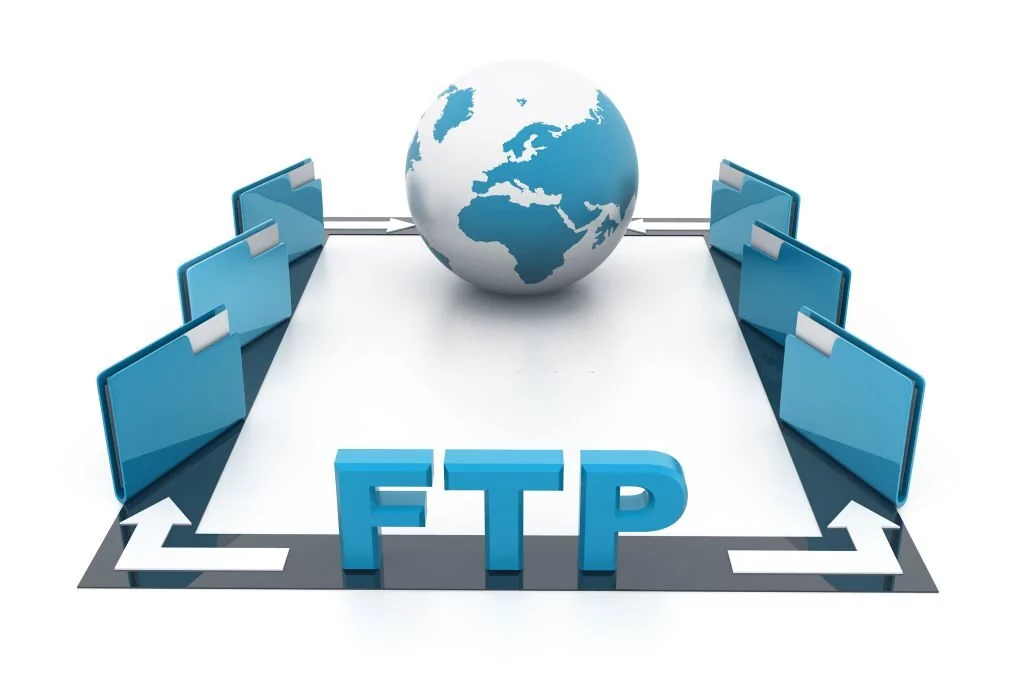
FTP is a simple process for transferring files betweentwo computers (a server and a client), which can be broken down into the following steps:
- Establishing a Connection: To transfer files, the client computer must first establish a connection with the server computer where the files are stored.
- Authentication: After the connection is established, the server requests the client to provide login credentials (such as a username and password) to verify access permissions.
- Browsing Directories: Upon successful login, the client can browse the server's directory structure to locate the files to be transferred.
- Uploading or Downloading: The client can upload files from the local computer to the server or download files from the server to the local computer.
- Closing the Connection: After the file transfer is complete, the client closes the connection, terminating communication with the server.
To explain with a more vivid analogy: In FTP, the server is like a “library” (storing books/files), while the client is the “reader” (who needs to borrow or return books/files). The reader must present a library card (login credentials) to the librarian (server) to access the books (files). Once authenticated, the reader can borrow (download) or return (upload) books (files).
Advantages and Use Cases of FTP
FTP offers numerous advantages and a wide range of use cases, making it a popular choice for online file management and transmission. Below are detailed explanations of its core advantages and primary applications:
Advantages of FTP
- Simple and Easy to Use: FTP has a low learning curve and can be used without specialized technical knowledge.
- High Reliability: FTP has been in use for decades, and its stability in file transfers has been thoroughly validated.
- Fast Transfer Speeds: For large file transfer needs, FTP enables efficient data transmission.
- Cross-Platform Compatibility: FTP is stable and compatible across operating systems such as Windows, macOS, and Linux, demonstrating strong adaptability.
Use Cases of FTP
- Website Management: FTP is an ideal tool for uploading, downloading, and managing website files, commonly used for updating website content.
- File Sharing: Suitable for transferring large files and collaborating on projects across multiple computers.
- Data Backup and Recovery: Leveraging FTP's secure storage and access features, important files and documents can be protected for future recovery.
- Software Updates: Developers often use FTP to release software update packages and patches, ensuring users are running the latest versions of programs.
Disadvantages of FTP
When selecting FTP as a file transfer method, it is important to be aware of its certain limitations, as detailed below:
- High Security Risks: Compared to encrypted file transfer methods, FTP offers weaker security — it transmits data in plain text, making it easier for unauthorized users to access sensitive information.
- Functional Limitations: Compared to other file transfer technologies, FTP lacks advanced features, such as file synchronization and automatic resumption of interrupted transfers.
- Firewall Compatibility Issues: FTP requires simultaneous establishment of both data and control connections. Firewalls may block such connections or require special configurations to function properly, which can easily lead to connection failures and complicate troubleshooting.
draw attention to sth.
It is recommended to opt for encrypted alternatives (e.g., SFTP, FTPS); research file transfer tools with advanced features; and adjust firewall settings according to requirements — these measures can enhance security and prevent connection issues.
Main Types of FTP
With technological advancements, FTP has evolved into various types, each differing in security and functionality. The specific classifications are as follows:
1. Standard FTP
Standard FTP is the basic type,which does not encrypt files during transfer, making it unsuitable for sensitive data transmission. Its advantages include high speed and ease of use, but it is only recommended for transferring non-sensitive information.
2. FTPS (FTP over SSL)
FTPS stands for “FTP over SSL” (FTP based on the SSL protocol), which adds a security layer to file transfer throughSSL encryption technology. For organizations that must comply with strict security regulations and have high data protection requirements, FTPS is the preferred solution.
3. FTPES (FTP over Explicit TLS/SSL)
FTPES stands for “FTP over Explicit TLS/SSL” (FTP based on explicit TLS/SSL protocol), a derivative of FTPS that further enhances security throughexplicit TLS/SSL encryption. It is similar to FTPS in terms of security and functionality but may require additional configuration steps.
draw attention to sth.
FTPES can encrypt sensitive files during transmission, making it an excellent choice for secure file transfer; however, due to the encryption process, its transfer speed may be slower than other unencrypted methods.
4. SCP (Secure Copy Protocol)
SCP stands for “Secure Copy Protocol,” which protects data during transmission throughSSH (Secure Shell) encryption, making it a secure file transfer method. It is simple to operate, requires no complex configuration, and is suitable for organizations that prefer using a command-line interface.
draw attention to sth.
SCP is suitable for the secure transfer of sensitive information, but the encryption process may reduce file transfer speed.

5. SFTP (SSH File Transfer Protocol)
SFTP stands for “Secure File Transfer Protocol” (SSH File Transfer Protocol), a more secure type of FTP — itencrypts data during transmission, effectively preventing unauthorized users from viewing files. Due to its high security and rich advanced security features, SFTP is an ideal choice for organizations transmitting sensitive data.
What is an FTP Client?
An FTP client is a type of program that supports file transfer between computers via the FTP protocol. They typically feature a simple and user-friendly interface, simplifying the operational processes of “connecting to an FTP server” and “file transfer.”
The following are common features of FTP clients:
- Resume Interrupted Transfers: If a file transfer is interrupted due to network issues or other failures, the interrupted transfer process can be resumed without starting over.
- Drag-and-Drop File Transfer: Supports dragging and dropping local files directly to a remote server or from the server to the local machine, offering an intuitive and efficient operation.
- Batch File Transfer: Allows transferring multiple files simultaneously, saving operational time.
- Directory Synchronization: Ensures that the contents of files and folders on the local computer and the server remain consistent, guaranteeing synchronized data updates.
draw attention to sth.
When selecting an FTP client, it is advisable to prioritize “interface usability,” “feature compatibility,” and “operating system compatibility” to ensure the tool meets individual or enterprise needs.
How to Use FTP?
Digital documents and files are crucial in business processes — according to statistics,the system integration work of 55%relies on file transfer. For this reason,data is considered one of the most valuable resources globallyand plays a key role in business operations.
Based on this, mastering the use of FTP is essential. Using FTP requires reliance on aclientandServers: the client connects to a server to enable file transfer between the two. The basic steps are as follows:
- On the local computer,install an FTP client.;
- ObtainFTP server information(such as server address, username, and password) from the server administrator;
- Open the FTP client and enter the obtained server information;
- Connect to the server and navigate to the target directory for file transfer;
- Use the client toupload or download files.;
- After completing the operation,disconnect from the server.。
How to Ensure FTP Transmission Security?
FTP Security Risks Exist —— It transmits files in plain text, allowing unauthorized users to easily intercept data, which may lead to “Man-in-the-Middle Attacks” and subsequently cause issues ofUnauthorized Access to Sensitive Information. The cost of data breaches is extremely high: It is predicted that in 2023,the average loss per data breach incident will exceed $5 million。
. However, there is no need for excessive concern: Currently, multiple regulations (such asPCI-DSS, Payment Card Industry Data Security Standard, andHIPAA, Health Insurance Portability and Accountability Act) require file transmission to be encrypted to prevent unauthorized access. Additionally, FTP transmission security can be ensured and data protected from unauthorized access through the following methods:

1. Use Secure FTP Protocols
When transmitting files, it is recommended to use SFTP or FTPS instead of regular FTP to enhance security: SFTP isencrypts data during transmissiona secure file transfer option; while FTPS adds an extra layer of security throughSSL Encryption.
2. Configure SSL Certificates for FTPS
Using SSL certificates with FTPS can further strengthen FTP transmission security: SSL certificates ensure that youConnect to a Trusted Serverand helpPrevent Unauthorized Data Access. With SSL certificates, you can verify the server's identity before transferring files and establish a secure connection.
3. Set Strong Passwords
To ensure FTP server security, it is necessary toSet Strong Passwords—— Passwords should include a combination of uppercase and lowercase letters, numbers, and special symbols; avoid using common or easily guessed passwords, and change passwords regularly to prevent unauthorized access.
4. Restrict Access to Authorized Users
Limiting FTP access to authorized users only can minimize security risks, ensureData Security, and allow only necessary personnel to access it. Additionally, it is recommended to regularly review and update user permissions, and promptly revoke access for user accounts that no longer require it.
summarize
FTP is a technology used to transfer files between computers on a network. This guide details the definition of FTP, how it works, its advantages and disadvantages, main types, knowledge about FTP clients, and methods to ensure FTP transmission security.
Understanding the core logic of FTP can help you quickly transfer files between computers on a network. To fully leverage FTP and ensure secure file transmission, it is recommended to continuously learn and explore knowledge about this protocol. After mastering these contents, you can more confidently use FTP to optimize business processes.
Next Steps: What to Do Next?
- View Recommended FTP Hosting Providers
- Learn About Cloud Website Builder Tool Providers
- Explore Recommended Cloud Hosting Providers
Further Reading (Useful Resources)
common problems
1. Can FTP Be Used to Manage Websites?
Yes. FTP is a common tool for website management, used to upload, download, and manage website files and content. It is a reliable and efficient way to transfer large files and update websites.
2. Can FTP Be Used to Transfer Files Between Different Operating Systems?
Yes. FTP has cross-platform compatibility and can transfer files between different operating systems such as Windows, macOS, and Linux, making it a flexible choice for cross-device file transfers.
3. Can FTP Transmission Processes Be Automated?
Yes. FTP transmission schedules can be created and executed through scripts or automation tools, saving time and reducing human operational errors. This method is particularly suitable for scenarios involving large-scale file transfers or regular backups.
4. Is Specialized Software Required to Use FTP?
Yes. To connect to an FTP server and transfer files, an FTP client software must be installed locally. Currently, various free and paid FTP clients are available for download, with common options includingFileZilla、CyberduckandWinSCP。
 English