











The hardest part of making a 1v1 social/dating app is not “being able to play video”, it's putting together an app that can be used as a social network. Matching → Calling → Connecting → Front and Back Office → Weak Network without a Line → Privacy and Security → Interactive Gifts This link runs smooth.
Applicable scenarios: 1v1 dating/chatting, social video matching, stranger video, private calls.
You'll get: the MVP feature prioritization, end-to-end process, reconnect/keep-alive policy, privacy compliance module, and go-live checklist.
1. Scenarios and objectives
Product Objective: Low latency, stable without disconnecting, reliable calls, privacy controllable, scalable realizations (gifts/billing).
Scale assumptions (typical values):
- Simultaneous online: 10,000 (online only, not calls)
- Simultaneous calls: 1,000 pairs (= 2,000 people in real-time audio and video)
- End-to-end latency target: < 300ms experience is more “face-to-face” (common industry target line)
2. List of functions (MVP → advanced)
MVP Mandatory (go live first)
- Matchmaking / Referral Lists (Matchmaking Hall / Social Hall Thoughts)
- 1v1 calls: outgoing, ring, answer, reject, busy line, timeout
- In-call controls: switch camera/microphone on/off, cut front/rear camera, speaker/earpiece switching
- Disconnect and reconnect automatically(weak network/network switching)
- Most basic privacy: blackout, reporting, basic permission alerts
Advanced Enhancements (Increase Retention & ARPU)
- Text chat + read unread + online status (interactive messaging capability)
- Incoming call hover window, offline push (to make calls more “catchable”)
- Beauty/virtual backgrounds/filters (to boost conversions)
- AI noise reduction (clearer in noisy environments)
- Call logs/message logs (billing/risk control/experience)
- Interactive gifts (gifting) and billing system (per hour/per visit)
3. Architectural dismantling
To make 1v1 video calls, it is recommended to split it into 4 pieces, each with its own role:
- Operational back-end (rooms and relationships)
- User profiles, matching/recommendations, blacklists
- Orders/Billing (if doing paid calls)
- Gift orders and billing (if doing a bounty)
- Signaling system (call and state consistency)
- Call invite/answer/reject/cancel/timeout
- Busy line determination, concurrent call protection (same user can only be in one call at a time)
- Call status synchronization: Ringing / Connecting / Connected / Reconnecting / Ended
- RTC Media Link (Audio/Video Ontology)
- Join rooms, post/subscribe to audio/video
- Codecs, Adaptive bit rate, Weak network strategy
- Audio processing: echo cancellation/noise reduction/auto gain (AI-like noise reduction capability point)
- Risk control/compliance (security and governance)
- Authentication token, anti-scraping (anti-machine bulk call/harassment)
- End-to-end encryption/privacy settings/data deletion (compliance and privacy capability points)
- Reporting, banning, review process (manual first is fine)
4. Key processes (call pick-up, front and back office, disconnect and reconnect)
4.1 Call Pickup Flow (the most buggy part)
Process:
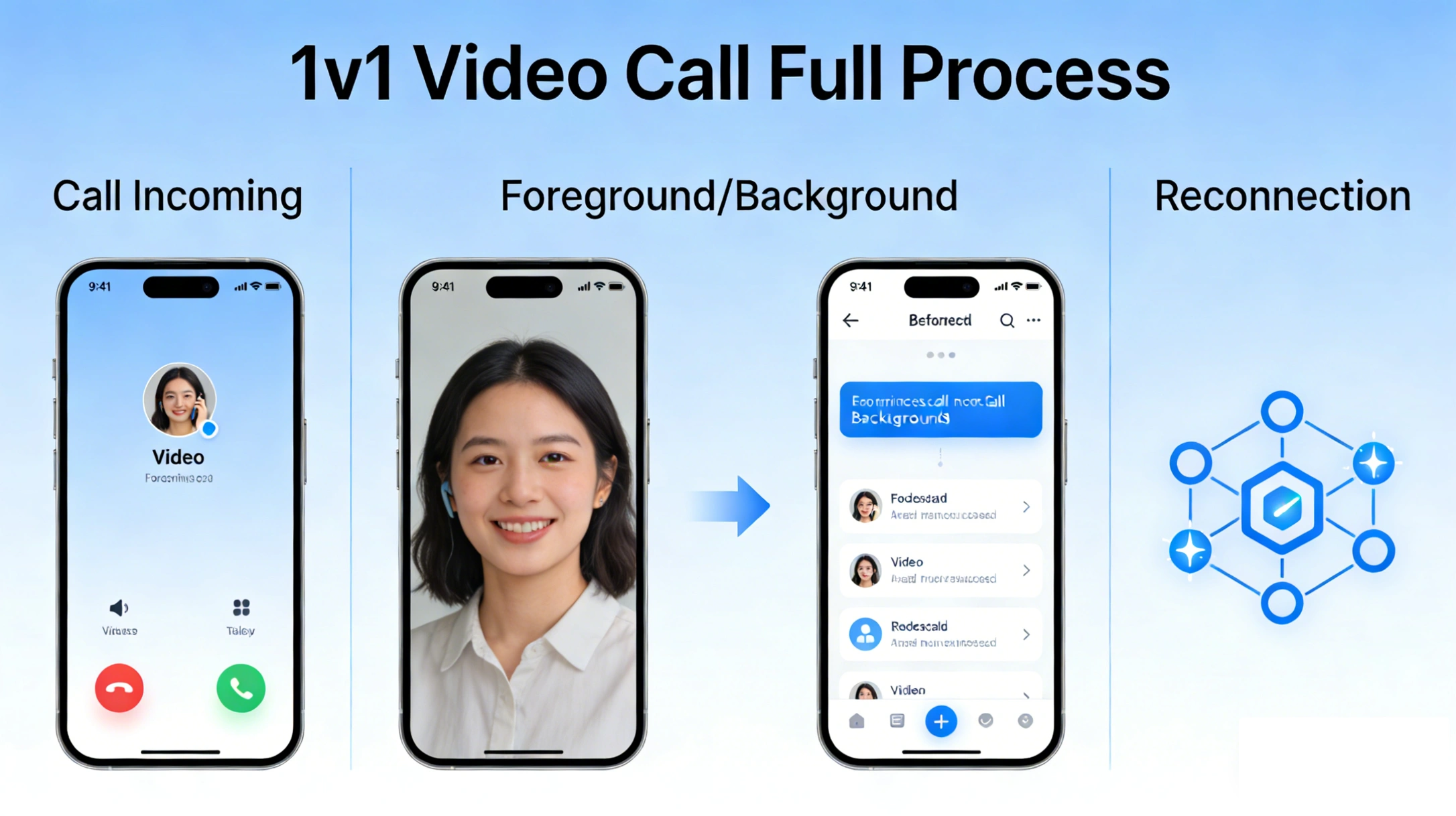
Matchmaking Hall Selection of objects → Call Invite → Ringing → Accept → Join → Publish/Subscribe → In-call control → Hangup
Realization points:
- call timeout: e.g. 30 seconds of unanswered calls are automatically canceled (to avoid keeping the state occupied)
- Busy line/occupied line: If the other party is on the phone, it will return Busy.
- Cancel Call: Caller cancels before the other party answers, to notify the other party to stop ringing
- The state machine must prevail on the server side: It's easy to have “inconsistent state on both sides” when the client has a weak network.”
4.2 Front and back office and caller “catch”
1v1 Calls most common bad reviews:“Cut background and it breaks” “Lock screen without alert” “Back to foreground screen black”。
It is recommended to do it in two layers:
- System level notificationsOffline push/call alerts (the official program also emphasizes that “you can receive call and message alerts when you are offline”)
- In-app experience layer: Call Hover Window allows users to return to the call even if they cut out
Minimal realization:
- App goes into the background: keeps signaling heartbeat, media alive by policy or fast recovery
- Back to the foreground: restore camera preview, synchronize call status (Connected / Reconnecting)
4.3 Disconnection and reconnection (the core of a weak network without disconnection)
The goal is not to “never drop”.”Instead, it's: even if it drops, it automatically recovers in 3-10 seconds and the user knows what's going on.
Recommended reconnection process:
- Monitoring network changes/media disconnection → UI shows “Poor network, reconnecting...”
- Reconnect signaling first (make sure status is still in call)
- Re-connect Media (Re-Join/Re-Publish)
- Reconnect Successfully → Restore Subscription & Calling UI
- Failed even after exceeding the threshold → automatic hangup and alert (to avoid “fake online”)
Weak network capacity indicators:
Tencent RTC 1v1 Dating “end-to-end <300ms, 80% anti-packet loss, 1000ms anti-jitter, weak network can still maintain high-quality communication” and other selling points, you can think of it as “you need to pay attention to the ability to choose a solution dimension! You can take it as ”the dimension of capability you need to pay attention to when choosing a solution".
5. List of difficulties and pitfalls
Weak network (packet loss/jitter/Wi-Fi cut 4G)
- Phenomenon: Spend sound, lag, screen paste, sudden breaks
- Processing: adaptive bit rate, audio priority, reconnect, network switch detection
- Product layer: gives “network quality” indication (red, yellow, green)
Echo/whistling (external/headphone switching)
- Phenomenon: the other person hears his own voice, shrill whistling
- Processing: AEC echo cancellation + outgoing scene strategy + audio routing correct switching
- User level: prompts “headphones recommended/external amplification turned off”
Front and backstage/lock screen/caller interruption
- Phenomenon: cut background background breaks, back to the front black screen, call status after the call is messed up
- Processing: call state machine, camera recovery, offline push/hover windows (capability points)
State consistency (most hidden)
- Phenomenon: one party shows that it has been connected, but the other party is still ringing; after hanging up, the other party still shows that it is on the phone.
- Processing: server-side authoritative state + client-side timed checksums + hangups on timeout pockets
6. Indicators and testing
It is recommended that you monitor at least these 3:
- End-to-end latency (E2E latency): Target < 300ms More comfortable
- Call Pickup Rate / Time to Pickup: Distribution of elapsed time from Invite to Connected (P50/P95)
- Reconnect Success Rate / Reconnect Time: reconnection success rate, average reconnection seconds
Real machine weak network test method (simple but effective):
- Use a network simulator/weak network tool to pull packet loss up and jitter up
- Runs full calls in four scenarios: Wi-Fi ↔ 4G switching, lock screen, background running, call interruption
- Records: whether it can be recovered automatically, how long it takes to recover, whether there is any status misalignment
7. Cost and selection
How to estimate the cost (the crudest formula will suffice):
- Monthly minutes = Daily minutes × 30
- The bulk of the cost usually comes from: audio/video minutes, concurrent spikes, recording/transcoding (if enabled), global line requirements
At the same time, officials also emphasize the provision of UIKits/full-platform SDKs to shorten the go-live cycle, which is in fact the key variable of “labor cost”.
Build your own WebRTC vs. use an SDK:
- Self-build: high degree of freedom, but requires media servers, global nodes, weak network and compatibility inputs
- SDK: quick to go live, especially with UIKits, cross-platform and weak-network optimization.
8. Summary
The key to making a 1v1 video call app is to take the Matchmaking Lobby → Call State Machine → Media Link → Front and Back Office and Reconnections → Privacy Security and Realization String together a stable link.
9. Frequently asked questions
Q1: How much delay is normal for 1v1 video call?
Usually the closer you get to <300ms, the more natural the interaction; it really depends on your user distribution, cross-country ratio, and percentage of weak networks. When selecting a model, focus on global nodes and link scheduling capabilities.
Q2:Why do 1v1 calls often fail to connect?
The common reason is that the signaling state machine is not rigorous: timeout is not cleared, repeated invitations, inconsistent Busy judgment. It is recommended that the server side do authoritative state and idempotent processing.
Q3: What should I do if I cut to the background and get disconnected?
System notifications/pushes and media recovery should be handled at the same time. The program page mentions hover windows and offline pushes as typical enhancements that significantly improve “catching” and “getting back”.
Q4: How can I ensure that I don't get disconnected under a weak network?
The core is: adaptive bit rate + automatic reconnection + network switching processing + UI prompts underneath. When choosing a solution, you can pay attention to indicators such as anti-packet loss and jitter resistance.
Q5: Why do you still need to do text chat for 1v1 dating?
Text chat can take over the conversion of “no call after matching”, read and unread, online status can also improve the efficiency of interaction, the program page also put Text Chat as one of the core scenarios.
Q6: How do you do privacy security for 1v1 calls?
At a minimum, end-to-end encryption, privacy settings, and data deletion capabilities with a compliance policy; the solution page emphasizes capability points such as end-to-end encryption and privacy protection, and compliance authentication.
10. Related links
If you want the fastest way to put Matchmaking Lobby + Voice/Video/Text Chat + AI Noise Reduction + Hover Window/Offline Push These 1v1 Dating core links run through and can be used directly from the Tencent RTC Official 1v1 Dating SolutionThe integration portal for the start of the


 English