


















The Jingdong Cloud platform provides each user with 25 free DV single domain certificates to purchase, as well as 100 free certificate management services.
The free certificate is a TrustAsia DV single domain certificate with a 3 month certificate term.
Free SSL Certificate Subscription Steps
Open your browser and visitJingdong cloud official websiteLogin to your Jingdong Cloud account (if you do not have an account, you need to complete the registration and real-name authentication first)
Click on the top navigation Cloud Services menu and search for SSL.
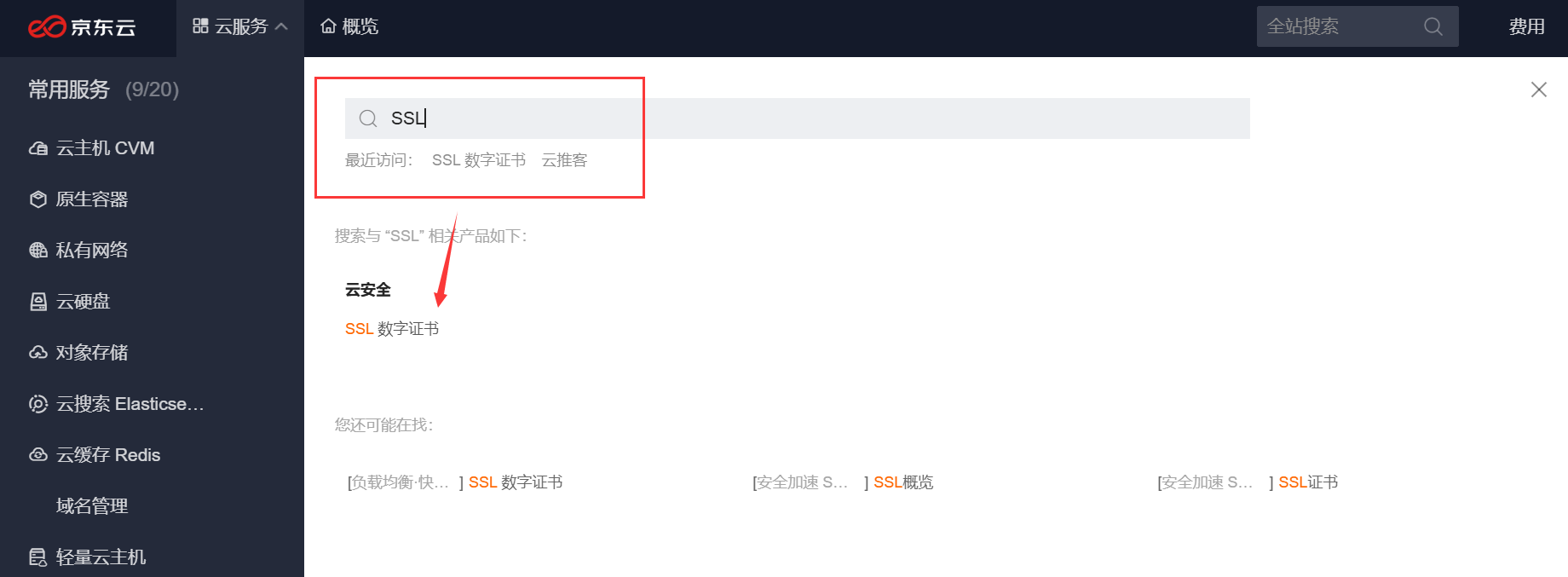
Click on SSL Data Certificates and go to the page.
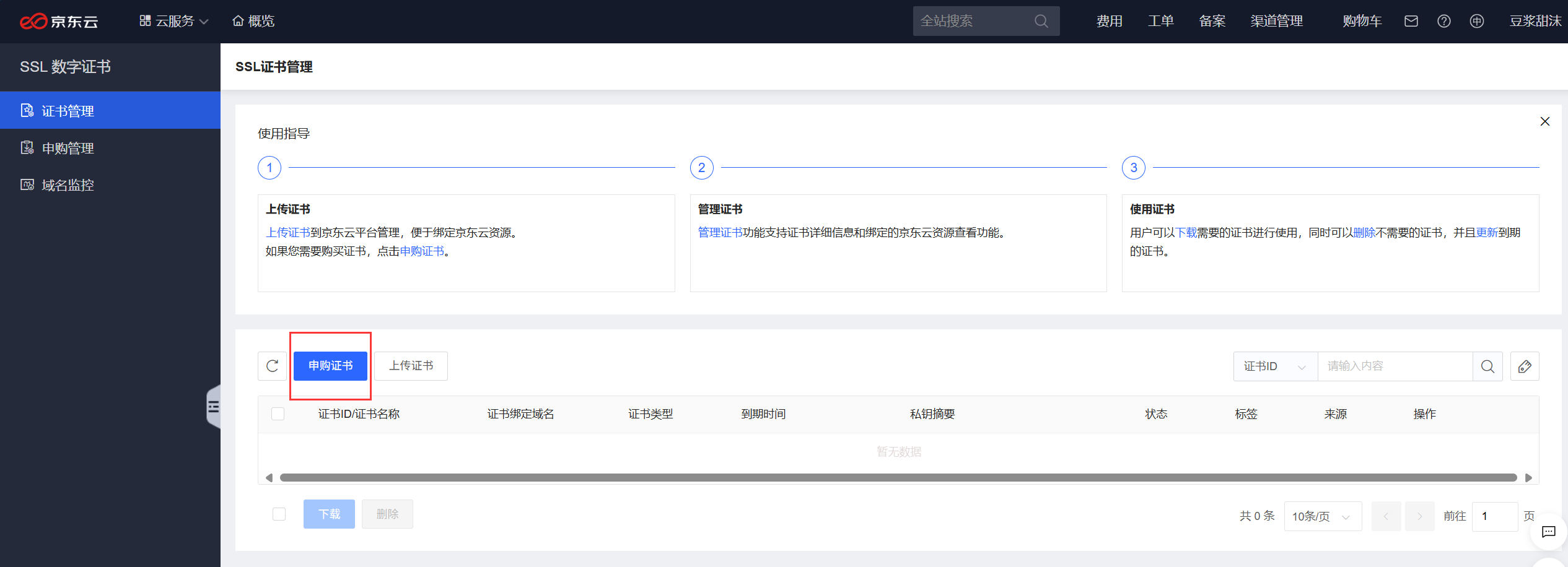
Once you are on the Certificate Management page, click Requisition Certificates.
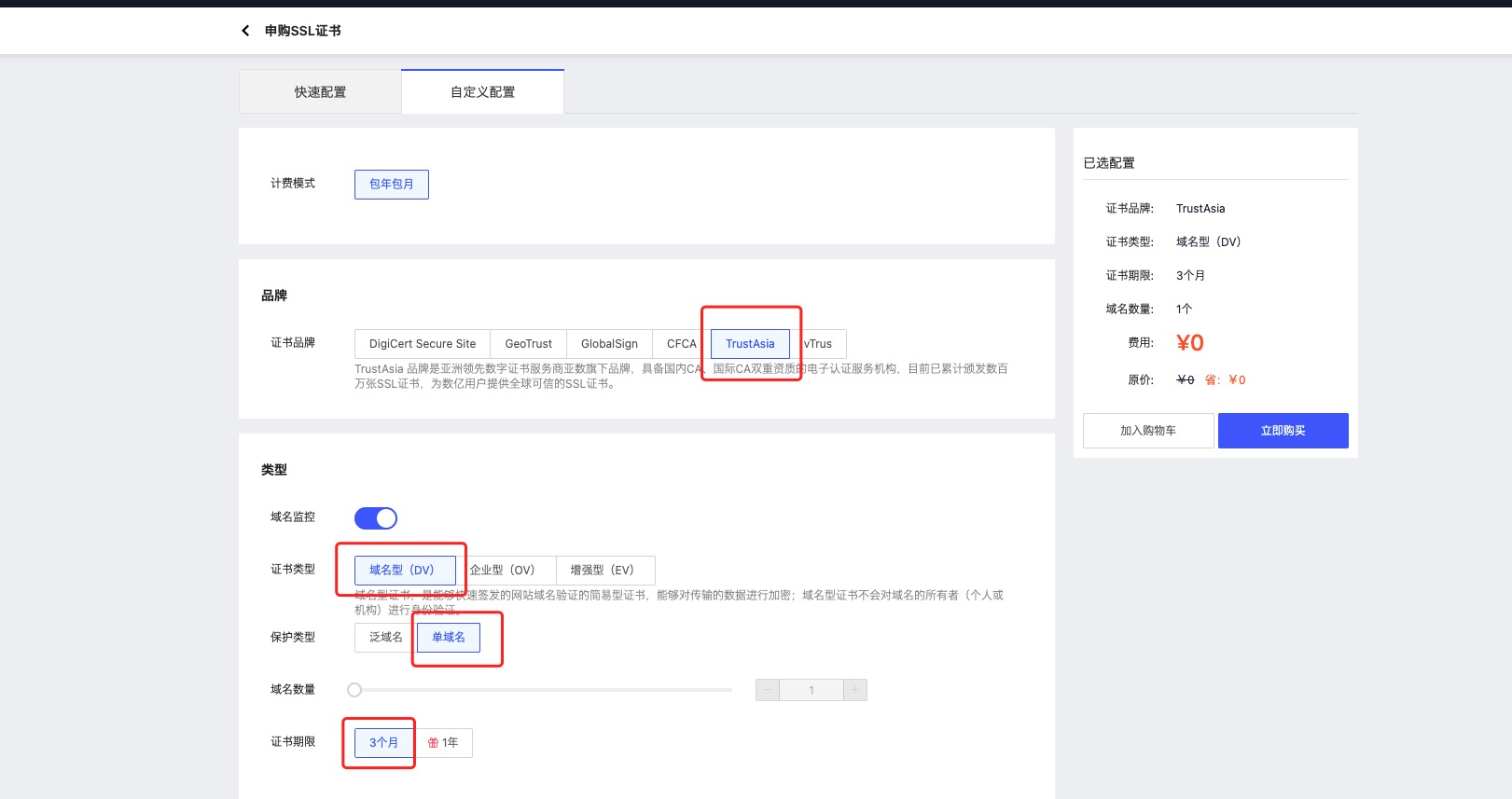
Go to the SSL Certificate application page, click Customize Configuration > TrustAsia Options > Domain Name Type (DV) > Single Domain > 3 Months, and then click Buy Now.
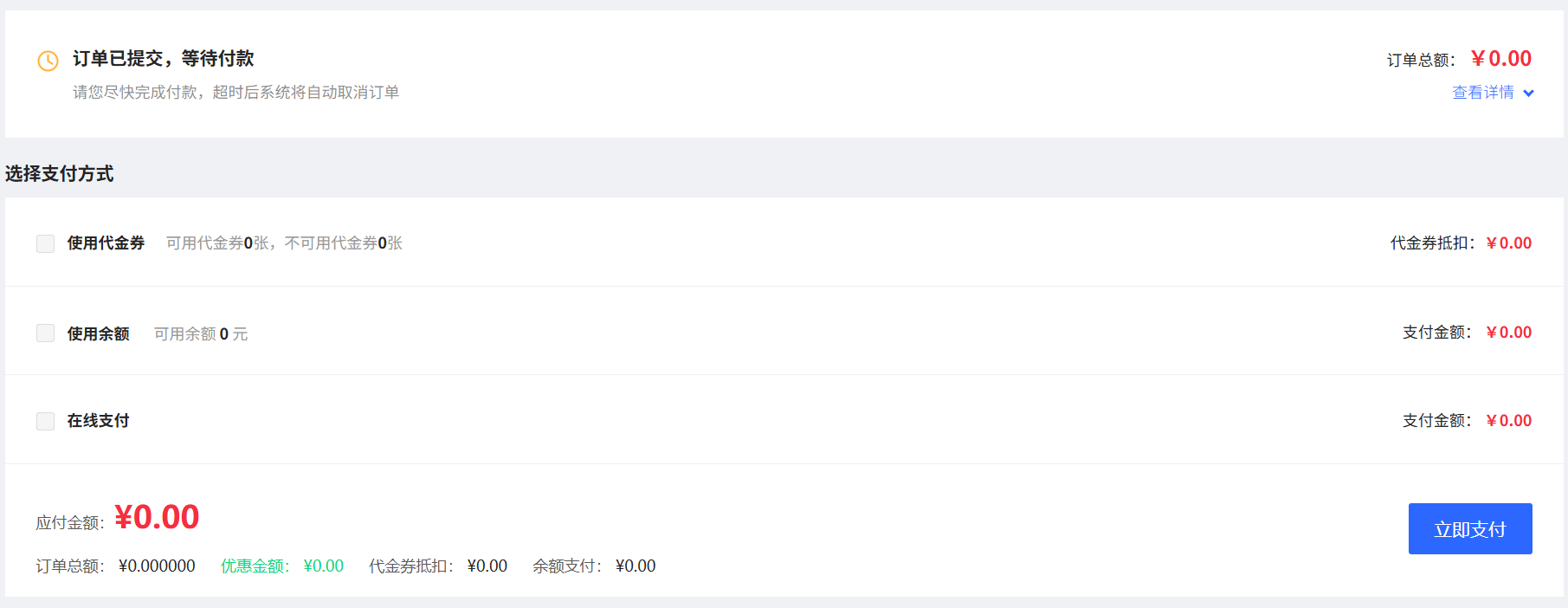
Once you are on the order page, click Pay Now.
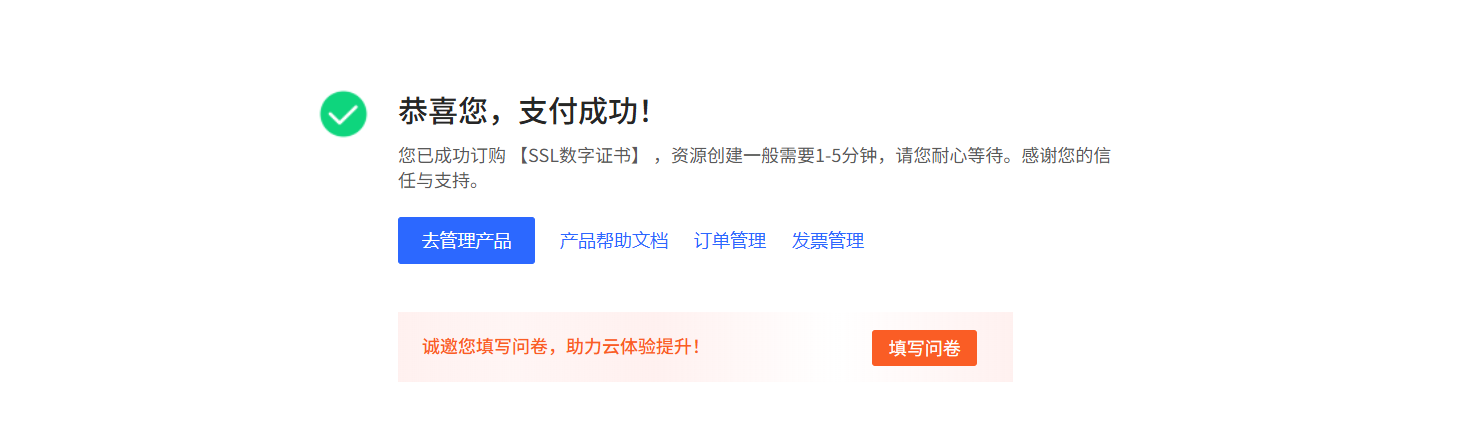
After that, go to the Certificate Management page again.
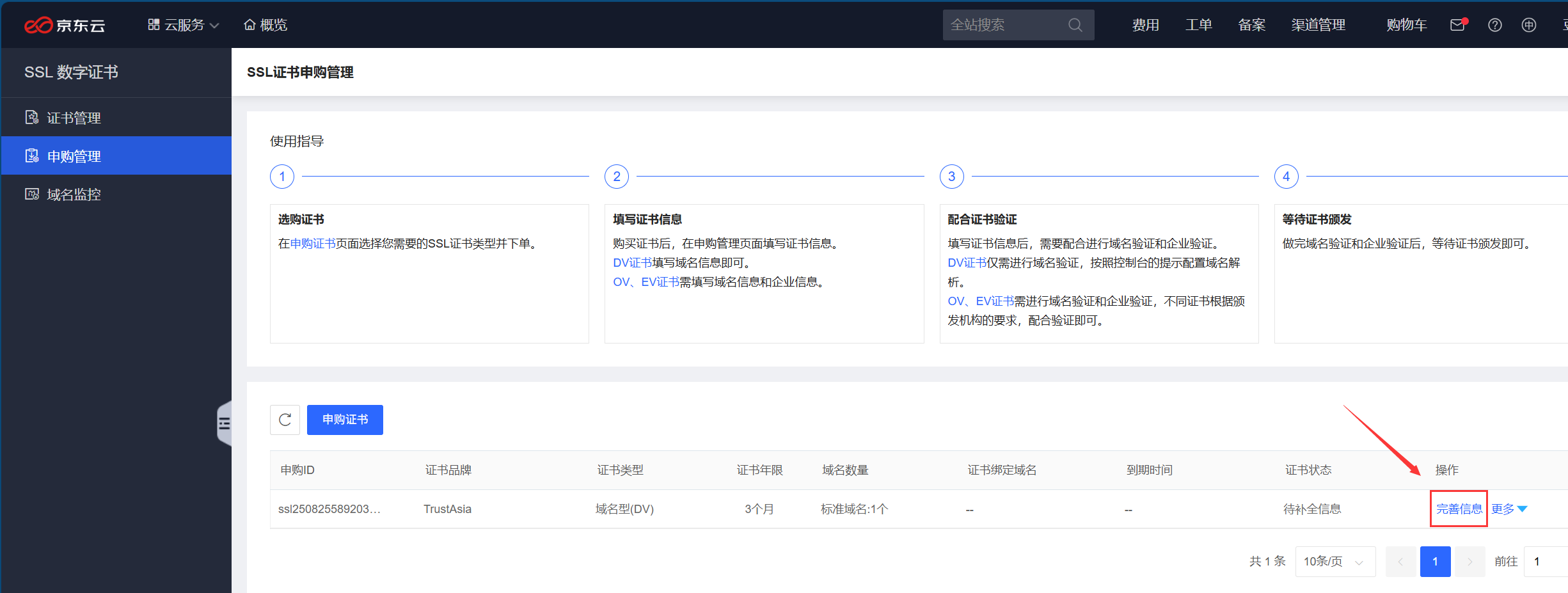
Click Subscription Management to see the certificate you just purchased, and click Improve Information in the certificate list.
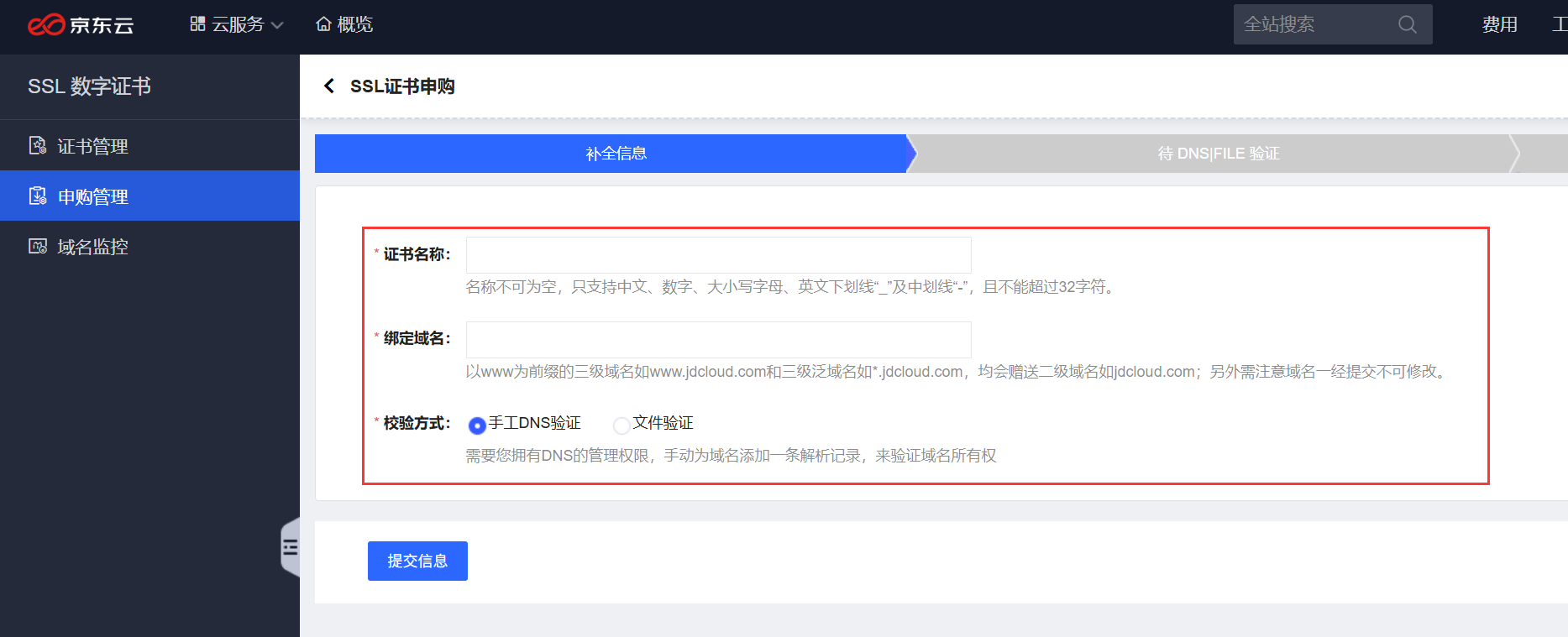
Enter the name of the certificate, the domain name to which it is bound, the validation method and so on. Finally, click Submit Information.
You need to wait for the DNS validation to complete before you can apply for the certificate.
Download and deploy SSL certificate
- After the domain name verification is passed, the system will complete the certificate issuance within 10-30 minutes (DV certificate issuance is faster, usually completed within a few minutes).
- After the certificate is successfully issued, you will receive SMS or email notification from Jingdong Cloud. At this time, return to the Jingdong Cloud SSL Certificate service page, in the “My Certificates” list, find the issued free certificate and click “Download”.
- Depending on the type of your web server (e.g. Nginx, Apache, IIS, etc.), select the corresponding certificate format zip package for download. After the download is completed, unzip the compressed package to get the SSL certificate file for deployment.
Usually the server admin panel will have a very handy feature for adding certificates, such as Pagoda:
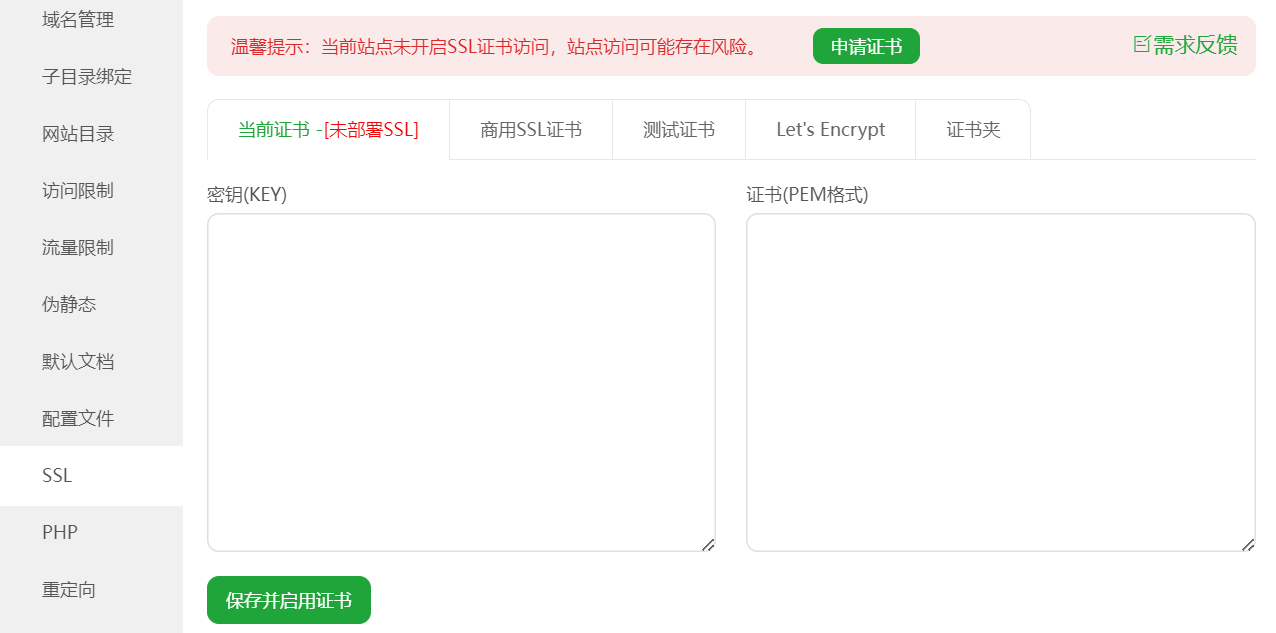
Just copy the Nginx type certificate key and pem into the corresponding input boxes.
Note on the length of free certificates
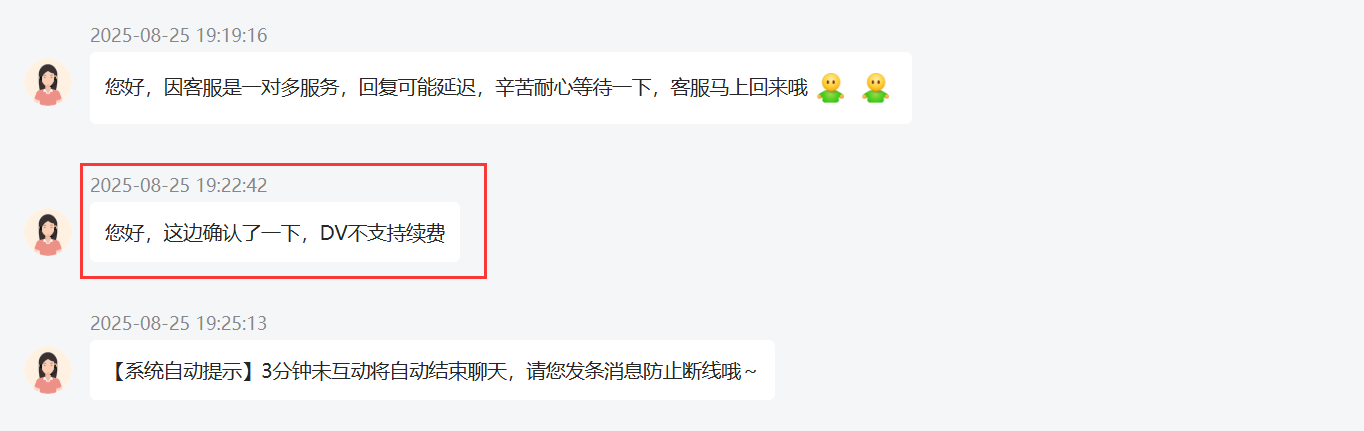
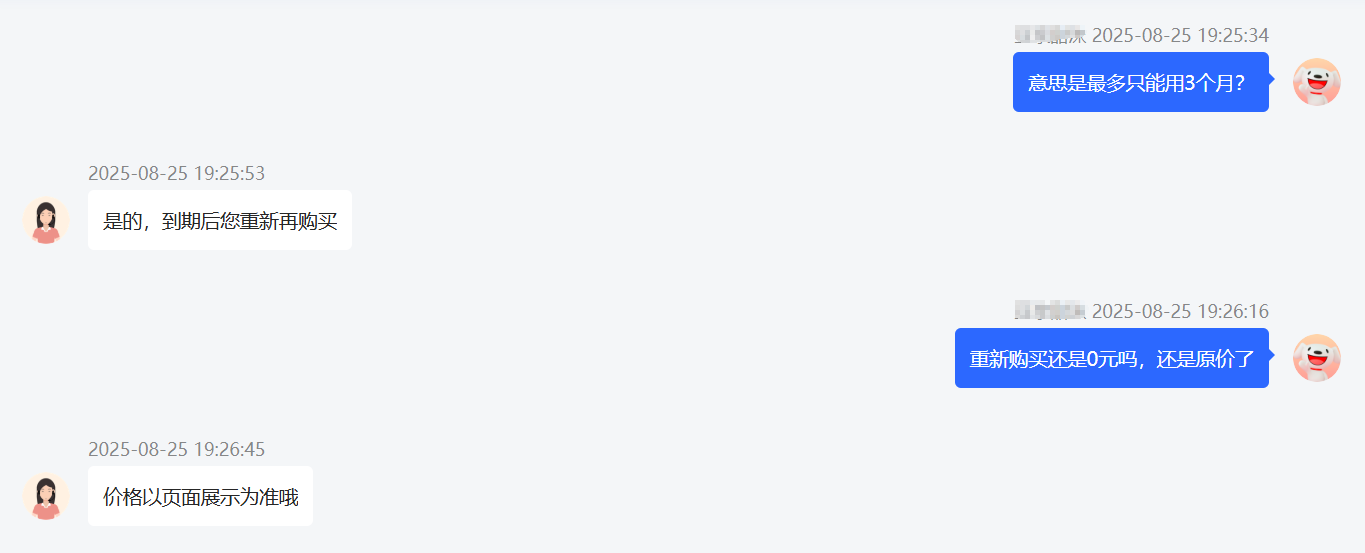
I asked Jingdong manual customer service about the length of the free certificate, and got the reply that it can only be used for 3 months, and does not support renewal, that is, you need to buy a certificate after 3 months to do so.
testimonialsLet's EncryptFree Certificates
Let's Encrypt is a world-renowned free SSL certificate provider, operated by the Internet Security Research Group (ISRG), supporting automatic issuance and renewal, helping websites quickly realize HTTPS encryption.
It is completely free and highly compatible, covering mainstream browsers and servers, without the need for complex operations, individual developers, small and medium-sized enterprises can be easily accessed to effectively enhance the security of the site and user trust.
For a freeLet's EncryptFor free certificates check out this article >>
Of course, nowadays, server admin panels come with their ownLet's EncryptCertificate application, if you are too much trouble, you can apply directly with the server panel and then deploy with one click.
 English