


















The theme you choose when creating your website is one of the most important factors in determining the performance of your website.Your Theme Sets the Tone for Your Websiteand determine how users interact with your content.
However, with so many WordPress themes available, it can be difficult to know which one is right for you. In this blog post, we'll walk you through how to choose a WordPress theme for your website and highlight the factors you need to consider to find the perfect theme for your needs.
So whether you're creating a new website or looking for a theme change, keep reading so you can choose the right WordPress theme before you get started.
key point
Here are the main points of this article:
- Every WordPress website owner needs toA WordPress Themeto start building and customizing their website - the theme makes the design process easy and hassle-free.
- on the basis of WordPress.org Built to give you complete control and allow you to install any theme you want on your site.
- Some of the factors to keep in mind when choosing a WordPress theme include design, responsiveness, customization options, colors, loading speed, codebase quality, price, and user reviews.
- Also consider ease of use, compatibility with plugins, security, and the templates that come with the theme.
- The type of content you will share,Your Brand AestheticsYour budget and required features should also help you choose the right theme for your website.
- You can find WordPress themes from the wordpress.com Theme Library, wordpress.org Theme Catalog, and third-party marketplaces.
- The theme you choose will set the tone for your website, affecting its performance and SEO Ranking, and decide on the types of features you can have on your website.
What are WordPress Themes?
WordPress Themes run on the WordPress CMS!Prefabricated design of the website. It consists of a set of templates and stylesheets that define the appearance and display of a WordPress website.
WordPress themes can be installed directly from the WordPress admin panel or manually downloaded and installed from third-party theme developers.
Want to dig deeper? Read. What are WordPress Themes
Before choosing the perfect WordPress theme
Before choosing the perfect theme for your site, make sure you are using the correct version of WordPress that supports theme installation.
There are two versions of WordPress--wordpress.com and wordpress.org.
WordPress.org It is a self-hosted platform, which means that you have to sign up for web hosting and install WordPress on your own server.Once you have done this, you are free to use any theme or plugin you like, and you have full control over your website. This gives you a lot of flexibility, but also means that you are responsible for keeping your site up to date and secure.
On the other hand.WordPress.com is a hosting platform. This means that WordPress takes care of everything for you, including hosting, security, and updates. The trade-off is that you don't have as much control over your website; for example, you can't install theCustomize the theme or plugin.
Expert Tip: We recommend the use of WordPress.orgBecause it gives you full control over your website and allows you to install any theme you want.
The other necessities needed to build your website are yourdomain nameAnd a good WordPress Hosting. This is us.Recommended WordPress Hosting Providerslist that you can check to find the best host for you.
How to choose a WordPress theme?
Once you've found a good web host and are ready to build your site, it's time to choose a WordPress theme.
There are several factors that come into play when finding the best theme for your website. These factors will affect theTheme Functionsand will significantlyInfluencing your websitePerformance after installing the theme.
Let's review what to look for when choosing a WordPress theme 13 important factors:
1. Minimalist and minimalist design
The first thing you're looking for in a WordPress theme is a simple minimalist design. You may be tempted to choose a theme with a lot of bells and whistles, but trust us, with WordPress themes, theLess is more. A simple design will make your websiteEasier to navigateand make your websiteFaster loading speedsThis is very important for SEO and user experience.
Also, designing a complex website can take a lot of time (or a lot of time and money if you're hiring someone to do it for you). But with a minimalist WordPress theme, you don't have to worry about that because the design is already taken care of. This means you can spend your time (and money) on other aspects of your business, such as developing new products or services.
2. ResponsivenessIt's a must!
Responsive themes are aIt will automatically adjust to fit from thedesktoptomobile device (smartphone, tablet, etc)The theme is available for any screen size. This is important because more and more people are using their mobile devices to access the internet. If your theme is not responsive, you risk losing visitors who will simply visit another website that looks better on their device.
While responsive themes are becoming the norm, there are still some non-responsive themes out there, so be sure to check before you buy.
3. Finding customizable themes (via customizer)
When you look at potential WordPress themes, pay attention to how customizable they are. The best themes will enable you to customize them with WordPress CustomizerCustomize almost every aspect of your website. Customizer is a powerful tool that lets you change almost every aspect of your website design, from colors and fonts to layout and navigation menus.
If you can find a theme that allows you to customize it through the customizer, you will have more flexibility in making your website look exactly the way you want it to.
4. Remember the colors
While you may want a simple minimalist design, you also don't want your website to look bland or boring. One way to add some personality to your site without overdoing it is to choose a design with aNeutral color schemeof the theme. However, make sure that the colors you choose for your theme complement the overall tone and style of your website.
For example, if you're running a company website, you may want to stay away from very bright colors and stick to more muted tones such as black, gray, or white. On the other hand, if you're running a more creative website, feel free to experiment with different colors until you find one that feels right.
5. Lightweight and fast loading
Many WordPress themes are unnecessarily bloated with features you'll never use, which can slow down your site.Lightweight theme loads fast, even on slower internet connections. A fast loading theme is important because it prevents visitors from getting frustrated and leaving your site before it has a chance to load.
draw attention to sth.
Before installing the theme, runWebsite Speed Testto see how fast the theme loads. For free themes, you can install the theme on the live site and run a speed test. With premium themes, you can run a speed test on the demo URL.
6. Frequent updates with a high-quality code base
A good WordPress theme is frequently updated and has a high-quality codebase.
Well-coded themes will be easier for you to customize and are less likely to contain features that could break your site'sincorrect. An up-to-date theme is also important because it will work with the latest version of WordPress and pluginscompatibility。
Therefore, before installing a theme, check its page to make sure it has been recently updated.
7. Subject fonts should be readable
When choosing a WordPress theme, it is important to note that thetypographical。
One mistake many people make when choosing a WordPress theme is to choose a theme with fonts that are difficult to read. Many times, themes come with fancy fonts that look good on the surface but are actually hard to read.
Therefore, before choosing a theme, make sure you test the fonts to see if they are suitable for the eyes. The fonts shouldEasy to read on both desktop and mobile devices。
Avoid themes that contain multiple fonts or fonts that are too small; stick to one or two simple-looking fonts.
8. Choose a theme that supports popular plugins
Consider whether the theme supports popular plugins.WordPress has thousands of plugins available, but theNot all themes support all plugins。
Typically, themes will have built-in support for popular plugins such as Gravity Forms or WooCommerce. before choosing a theme, make sure it supports the plugins you want to use on your site.
If you're not sure which plugins to use, just make sure the theme supports popular WordPress plugins like Jetpack or Yoast SEO.
9. Attention to code quality and standards
When choosing a WordPress theme, always pay attention to code quality and standards. There are several poorly coded themes and themes that do not comply with industry best practices.
Well-coded themes willEasier to customize and extendAnd unlikely.inclusion errorBefore choosing a theme, please check the code quality and standards. Therefore, before choosing a theme, check the code quality and standards to make sure that the theme you choose complies with the latest coding standards set by WordPress.org.
10. Consider developer support policies
Don't forget to check the developer's support policy when you are considering a WordPress theme.
Do the developers provide support if you have problems with the theme? If so, what kind of support do they provide? Many developers provideEmail Support, but some developers also providetelephonesOrLive ChatSupport.
Do they have a knowledge base or documentation that can help you when you are in trouble? Are they responsive to user questions and concerns? It's important to make sure you can easily get help from the developers when you need it.
11. View Comments
When choosing a WordPress theme, don't miss out on checking out user reviews. What do people say about it? Does it work well? Have people encountered any common problems? Are they satisfied with the theme?
You can view theme reviews on the developer's website, WordPress.org, or third-party websites. Checking reviews before you buy gives you a good idea of what to expect from the theme.
12. View Prices
Of course, price is always a consideration when choosing a WordPress theme. There are themes available at all price points, so it's important to determine how much you're willing to spend before you start your search.
Remember, sometimes.nothing for nothing, so it's not always necessary to choose the cheapest option without doing your research first.
Premium themes usually cost between $50 and $200, but there are manyHigh quality free themesAvailable. However, free themes may not have as many features as premium themes and developers may not support them.
13. Cross-browser compatibility
Finally, consider the cross-browser compatibility of the theme. You need to make sure that the theme you chooseCompatible with all major browsersThis includes Internet Explorer, Firefox, Safari, Edge and Chrome.
This ensures that your website will look and function as expected no matter what browser your visitors use. Checking the compatibility of the theme before purchasing can save you a lot of hassle.
List the features you need in advance
Just like starting a business, before creating a WordPress website develop deepa well-thought-out planAlways important. A key part of your program should be deciding which theme you will use toComplement your brand's lookand in the best possible wayCommunicate your brand message。
Before selecting a theme, be sure to list all of the themes you want the theme to install itsFeatures and Functions. This willSave your timeAs well as the hassle of installing and uninstalling themes, these themes can break your website. If you are going to purchase a premium theme, it will alsoSaving you money, because you don't have to pay for something that isn't satisfactory.
Features to look for
WordPress themes have different features depending on their design-specific functionality. However, before choosing a theme for your website, you should be aware of a few of each theme'scommon function. Some of these features include:
- Design: The theme should have a professional look and be well-designed in terms of layout, header styles, menu placement, and content display.
- Performance: Theme should load fast and perform best
- Template: The theme should have several pre-packaged starter templates to help you get started designing your website.
- 易Usability: The theme does not require any technical knowledge or design experience to use or customize.
- WooCommerce Ready: The theme should seamlessly support WooCommerce in case you want to profit from the site later.
- Compatible with the Gutenberg editor:The theme should allow you to easily publish and edit your website content through the Gutenberg editor (the latest WordPress editor)!
- Aesthetics: The theme should complement your brand aesthetic in terms of color style layout
- Security: The theme should be free of security vulnerabilities and regularly updated with security packages.
Considerations for Choosing a WordPress Theme
The type of theme you choose will largely determine what your website can accomplish. Some important considerations for choosing a WordPress theme include the type of content you'll be sharing on your site, the features you need, your brand aesthetic, and your budget.
1. What is the purpose of your website?
Are you using your website to showcase your portfolio? Are you selling products or services? Do you blog regularly? The answers to these questions will help guide your search for topics.
For example, if you primarily use the site to showcase your work as an artist or photographer, you'll need to choose a theme that includes features such as photo galleries or portfolios.
2. What kind of content will you have?
Do you plan to write mostly blog posts? Or will you have a mix of blog posts, photos and videos? Once you know what kind of content you want to share, you can start narrowing down your topic options.
- Visual content
If you plan to have a lot of visual content on your website, such as images and videos, you will need a theme that can display that content in an aesthetically pleasing way.
For example, if you plan to share a lot of images, you need to choose a theme with enough space for photos and a built-in photo gallery or lightbox.
- Text content
On the other hand, if you plan to primarily share text-based content (such as blog posts), you will need a theme with a clean design and easy navigation.
You also need a well-optimized theme to improve readability and features like social media integration so that readers can easily share your content.
3. what is your brand aesthetic?
Your website shouldReflect your brand image, so it's important to keep your brand's aesthetic in mind when choosing a theme.
What kind of feel do you want your website to have? What kind of images do you want to project to your website visitors? Do you want your website to be interesting and fun? Or stylish and professional? Do you want something clean and minimalist? Or something bolder and more colorful?
Once you know what kind of vibe you want, you can start looking at thecolor scheme、typographicalandLayoutaspect of the theme that matches that aesthetic.
For example, if you want a fun and youthful website, look for themes with bright colors and playful fonts. You need to avoid themes that are too serious or formal. Conversely, if your brand is more traditional, you may want to steer clear of themes that are too modern or edgy.
4. What features do you need?
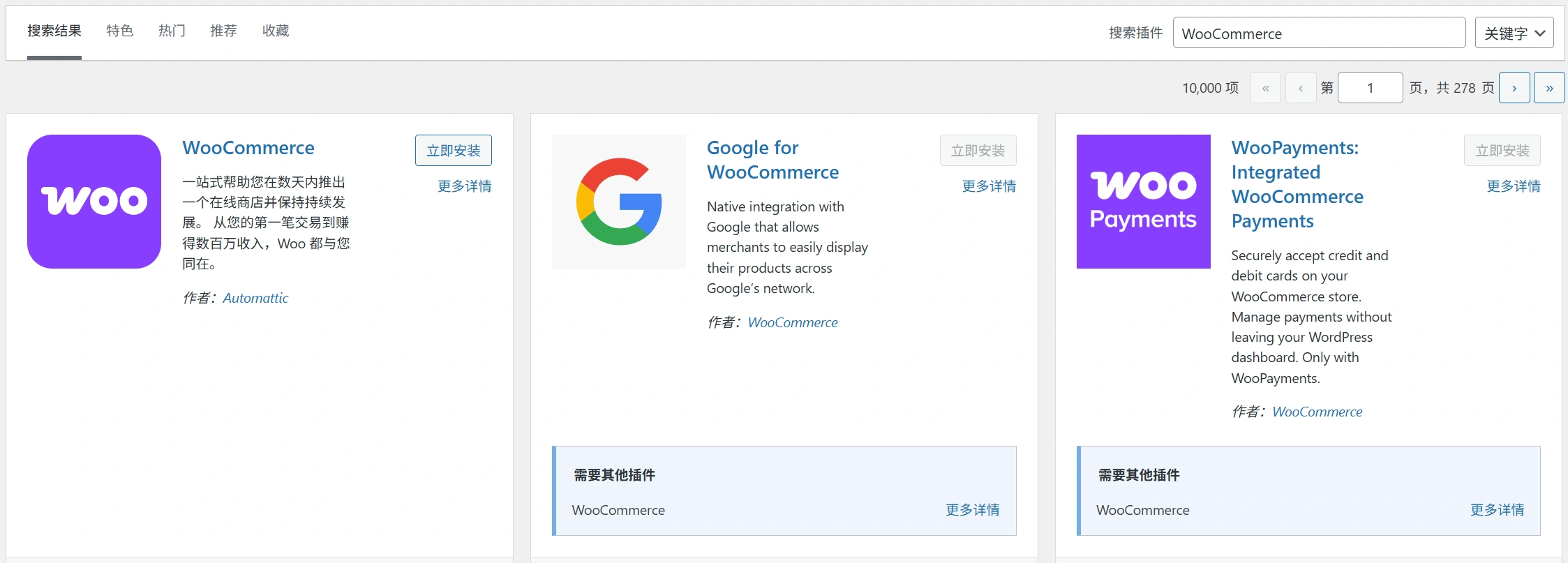
Do you need to sell products or services online?You'll need to choose a theme with built-in eCommerce functionality or one that can easily integrate with eCommerce plugins like WooCommerce.
Does your blog post or page need a specific layout?Some themes include built-in features such as sliders or rotators for displaying more content, while others offer more traditional layouts with basic functionality.
Do you need special features or functionality?If you plan to run a membership site, you will need a theme that includes features such as user registration and login, content restriction, and payment integration.
5. What is your budget?
If you're on a tight budget, there are manyFree Topicsavailable, but these themes usually have limited features and customization options. If you're looking for something more powerful, you need to be prepared to spend some money.
Fortunately, there are a lot of pricesReasonable Paid Threads. Remember.nothing for nothingSo if you're on a budget, you may need to compromise on certain features or opt for less popular themes.
6. Free versus paid?
Is it worth paying for a premium theme when there are so many free options available? Here is a comparison between free and paid WordPress themes to help you decide:
- Support: When you pay for a WordPress theme, you usually get prompt customer support from the theme developer. This can be very helpful if you have any problems with the theme or need help with customization. On the other hand, free themes have limited support, so it can be difficult to resolve issues or get help with customization.
- Characteristics:Paid WordPress themes usually have more features than free themes. This means that you will have more control over the look and style of your website and can take advantage of advanced features that may not be available with free themes. With free themes, you may have to sacrifice certain features or design elements that would benefit you if you paid for a premium theme.
- Updated:Since paid themes are developed by professionals, they are usually kept up to date with the latest version of WordPress. This helps ensure future compatibility and keeps your site safer from potential security threats. Since free WordPress themes are developed by independent designers, they are not always kept up-to-date. This can lead to compatibility issues and make your site more vulnerable to security threats.
Advantages of Paid WordPress Themes
- Wider range of themes to choose from
- More features and customization options
- Better support for developers
Drawbacks:
- Can be costly, depending on the topic
- Needs to be updated regularly
- May not be compatible with all plugins
Benefits of Free WordPress Themes
- Free to use and cost-effective
- There is no need for regular updates as they are maintained by the WordPress community!
Drawbacks:
- Limited choice of themes available
- Fewer features and customization options
- Less reliable support
How do WordPress themes work?

WordPress themes give your website a look and feel. They consist of many different files.
The two most important files are the style sheet (style.css) and the template file (index.php). Others include images, JavaScript files, and functions.php.
- style sheet
The style sheet is where you control the appearance of your website. Here you can specify the colors, fonts, and layout of your site. You can also use CSS to control how content looks on different devices (mobile, tablet, desktop).
- Template files
The template file controls the structure of the site. The file tells WordPress the order in which to display different elements (such as headers, sidebars, footers, etc.). You can also use template files to create custom pages (such as a contact page or an about page).
- Other thematic papers
Other files in the WordPress theme include images, JavaScript files, and functions.php. The image files are used for the design of the site, while the JavaScript files add interactivity (e.g., drop-down menus).
The functions.php file allows you to add customization to your website without having to edit the core WordPress code.
Types of WordPress Themes
There are different types of WordPress themes depending on their functionality, cost, target industry and design:
- Free & Premium Themes - Free themes are available to everyone for free, while premium themes are paid themes with more extensive features and customization options.
- Multi-purpose & Niche Themes - Multipurpose themes support websites in a variety of niches with more generalized layouts and functionality. Niche themes are usually dedicated to a specific niche site or industry (e.g. e-commerce) and their layout and functionality is simplified to meet a specific purpose.
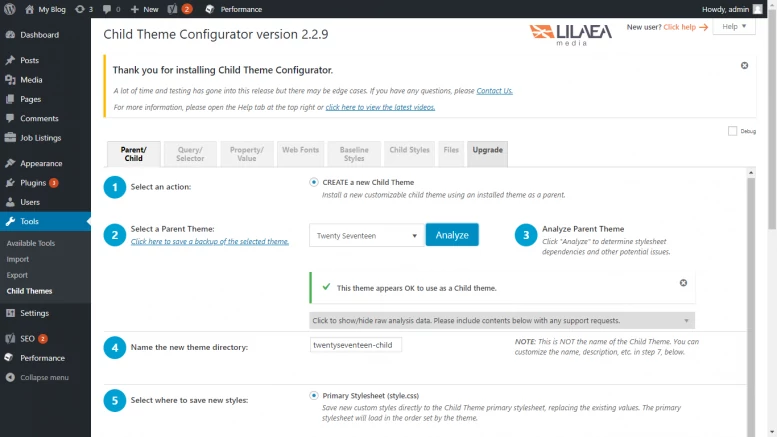
- Parent and child themes - A parent theme is the main theme that includes all the template files, stylesheets and code needed to run a WordPress website. A child theme is a theme that inherits the templates, stylesheets and code from the parent theme. It is usually used to make changes to an existing parent theme.
- Customized Themes - Custom themes are created specifically for your website or blog. This means you can customize them to match your brand logo, colors and style.
Read aboutDifferent Types of WordPress ThemesFor more information on the
Where to find your dream theme
There are some great places to find the best WordPress themes, both free and premium. Some of the best places you can check out include:
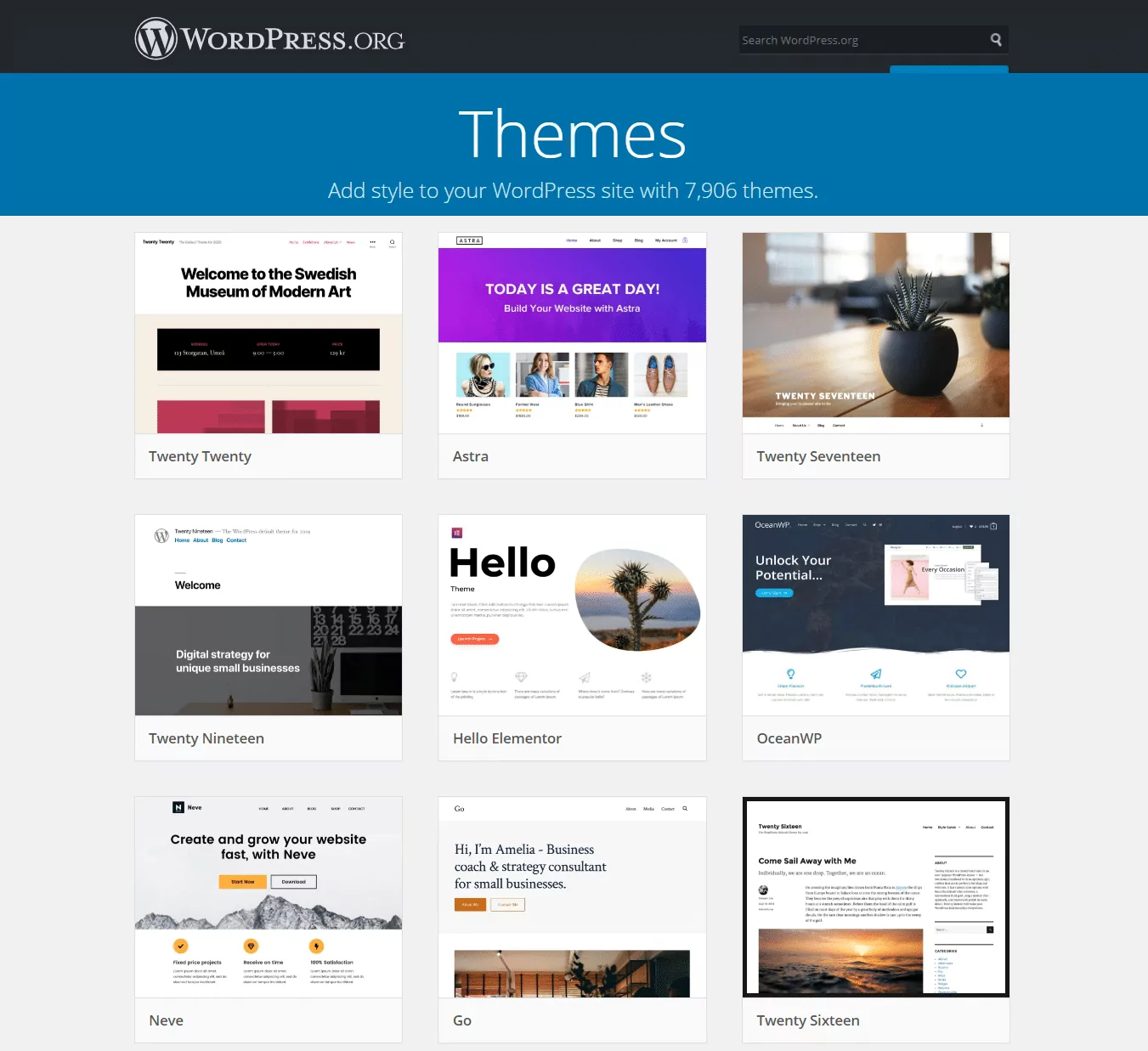
1. WordPress.com Theme Gallery
WordPress.com Themes\n LibraryA great place to start your search for the perfect WordPress theme. The themes in the gallery are designed by professional developers and are available for free. In addition.All themes are responsive.This means they look great on any device, from smartphones to tablets to desktops.
they (for inanimate objects)Classification by typeSo you can easily navigate through the options to find the one that best suits your site. You can alsoBrowse topics by function or style, or use the search bar to find a specific theme. Once you find a theme you like, you can preview it on your site before installing it.
This gallery is curated by the WordPress.com team and contains only themes that meet their high standards of quality and design. You can be sure that any theme you choose will be compatible with all features and plugins available on WordPress.com.
2. WordPress.org Theme Directory
If you want to betterControlling Theme Selection,WordPress.org Theme Directoryis a good choice. The catalog contains thousands ofFree and PremiumThemes that have been developed by independent designers and have been reviewed and approved by the WordPress team.
You can pressfunctionality、thematicOrpopularityBrowse topics, or use the search bar to find a specific topic. In addition, all topics in the catalog areresponsives, so you know they look great on any device.
Keep in mind that since the topics in the directory areIndependent designersdeveloped, so they may not be as popular as the themes in the WordPress.com Theme Library.Good support.。
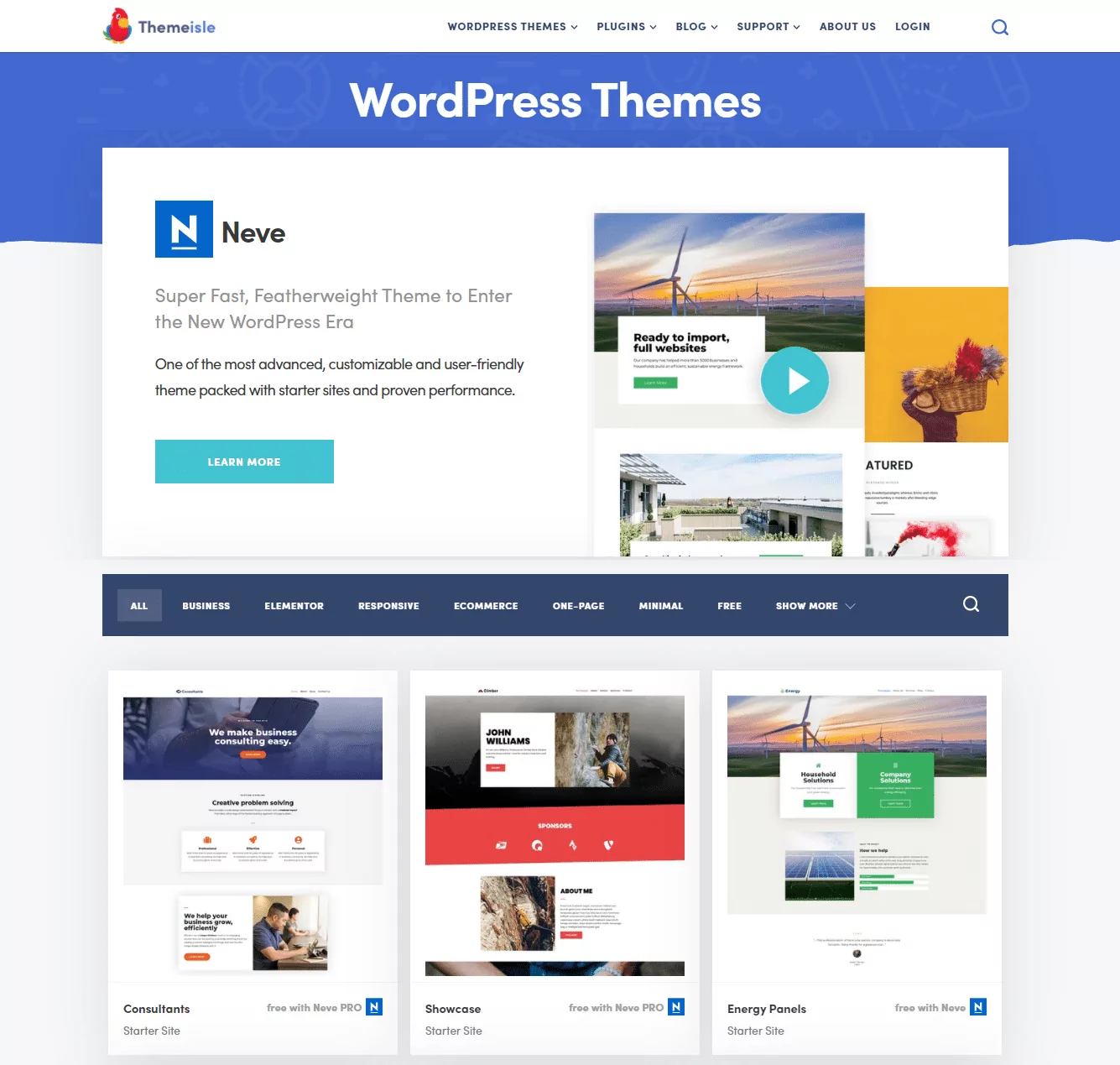
3. Third-party markets
If you're willing to spend a little money on themes, third-party marketplaces offer a variety ofPremium theme selection. These marketplaces allow you to browse topics by category, price, or popularity, making it easy to find a topic that fits your budget and needs.
Again, these themes were developed by independent designerss, they may not be as well supported as themes from the WordPress.com Theme Library or the WordPress.org Theme Catalog. While you'll usually have to pay for themes from these marketplaces, you'll usually be able to find discounts and special offers.
Here are tenBest Third Party MarketWith this compilation, you can shop around for quality WordPress themes:
- Themed forests
- Creative Market
- Template Monster
- Mojo Market
- Evanto Element
- Elegant Themes
- Themed BBQ
- Theme Island
- dribble (basketball)
- Studio Press
After choosing a theme for your website, learn how to install a WordPress theme and start using it to build a high-quality WordPress website.
Why is it important to choose the right WordPress theme?
The type of theme you choose can make or break your website. Here are some reasons why choosing the right WordPress theme is important.
定keynote
Your theme sets the tone for your website. It will determine the overall look and feel of your site, so it's important to choose a theme that reflects the brand image you want to present to the public.
Website Performance
The theme you choose will affect the performance of your website. A well-coded theme will load quickly and run smoothly, while a poorly coded theme may load slowly or cause errors, which can reduce the performance of your website.
Themes affect search engine optimization
Your theme affects the SEO of your website. a good WordPress theme will be optimized for search engines and help you attract more visitors to your website.
Website Features
Your theme determines what features your website has. Many WordPress themes come with built-in features such as social media integration, contact forms, and e-commerce features.
Please be careful to choose a theme that includes all the features you need for your website.
What's next?
Choosing the right WordPress theme is not the end of the road. After finding the perfect theme for your site, start customizing your theme andAdd Content。
Most of the time, the theme will not immediately look exactly the same as the demo version.
You'll need to create pages and posts and start adding content to see the site start to take shape. Additionally, it's important to take full advantage of the WordPress CustomizerCustomize your theme according to your reference.
For example, you can start by changing the color scheme, adding a site title and tagline, and customizing the header, footer, and sidebars as needed. You can also install plugins and widgets to your site to help you add any missing functionality.
Take the time to get to know your theme, and if you run into problems, don't be afraid to contact the WordPress community or theme developers for help.
reach a verdict
So how do you choose the best WordPress theme for your website? Start by considering your needs and the features that are important to you as a website owner.
If you need a lot of customization options, pleaseLook for themes with a powerful set of toolsYou can use it to customize your website to meet your requirements.
besidesAlways test drive before you buyThemes - Before spending money on a theme, you need to make sure that it looks and works the way you want it to. With so many great WordPress themes available, you can never go wrong with a theme that perfectly suits your needs.
We hope this article will help you choose the best theme for your website before you start building a beautiful WordPress website.
Next step: what now?
Now that you know how to choose the right WordPress theme for your website, you can take some of the following from this guidepractical step:
- From the official Browse the best WordPress themes in the WordPress Themes Directory.
- Before you start building your website, start with ourRecommended WordPress Cloud Serverslist for your WordPress website hosting.
common problems
1. What makes a good theme?
A good WordPress theme is one that is well designed and easy to use. It should be responsive and compatible with the latest version of WordPress. It should also be compatible with your plugins and include all the features you need for your website. When choosing a theme, check out the reviews to see what other users are saying.
2. How to choose a WordPress theme?
When choosing a WordPress theme, consider the purpose of your website and the type of content you will publish. Consider your target audience before narrowing down your choice to niche, features, compatibility and price.
3. Which is the recommended WordPress theme for 2025?
There are many great WordPress themes for 2025, but the best ones depend on your personal needs and preferences. However, some of the most popular ratings include 7B2, Divi, Astra, OceanWP, GeneratePress, and Avada.

 English