











Have you ever been confused about website data? Google Analytics tells you “what” users do (how many visits, where they come from), but it rarely tells you “why” they do it. Why are conversions low? Why are users leaving the page in droves? Traditional clickstream data is like a black hole where you see the results but not the process.
Are you ready to build a website and are you looking for cheap cloud hosting, check out ourRecommended Cloud Hosting Activities
Today, I'd like to recommend a completely free website user behavior analysis tool from Microsoft - theClarityIt's like having “surveillance cameras” and “behavioral lenses” on your website. It's like putting "surveillance cameras" and "behavioral lenses" on your website, allowing you tosee for oneselfHow users interact with your site.
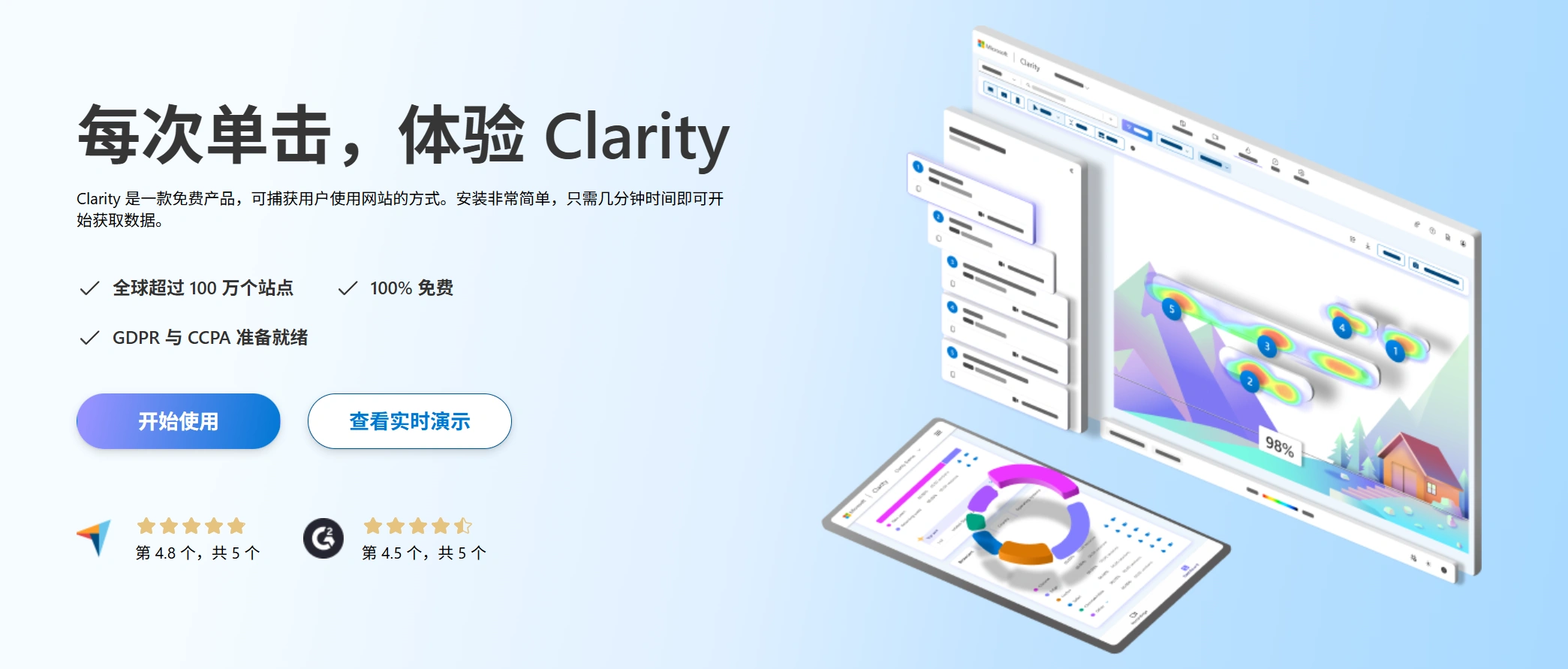
What is Clarity?
Microsoft Clarity is an intuitive tool for analyzing user behavior through theSession Recordingsrespond in singingHeatmapsTwo core features that visualize users“ clicks, scrolls and movement trajectories. It's not meant to replace Google Analytics, but rather serve as its perfect complement, combining quantitative data with qualitative insights to answer that key question, ”Why?"
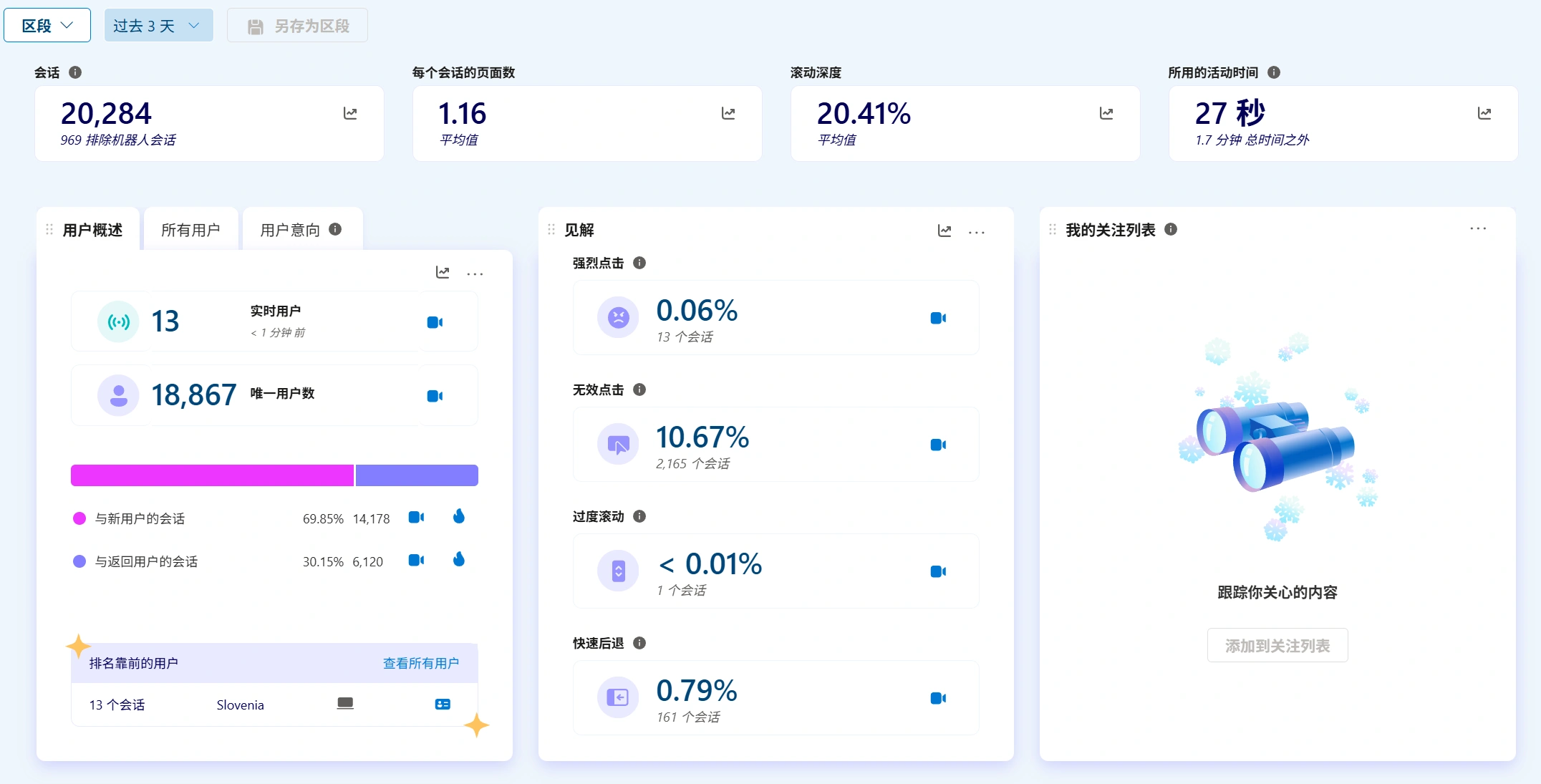
The most attractive point: Clarity has a powerful free package with unlimited session logs, heat maps, and website projects, which is perfectly adequate for the vast majority of websites!
Real-time demo effect
demonstrations
Experience Clarity with every click
Clarity's three core strengths
- Session Recording - Review user visits like a video recording
- Functionality Profile:Clarity records the complete actions of real users on your site, including mouse movements, clicks, scrolling, and typing content (sensitive information such as passwords are automatically blocked).
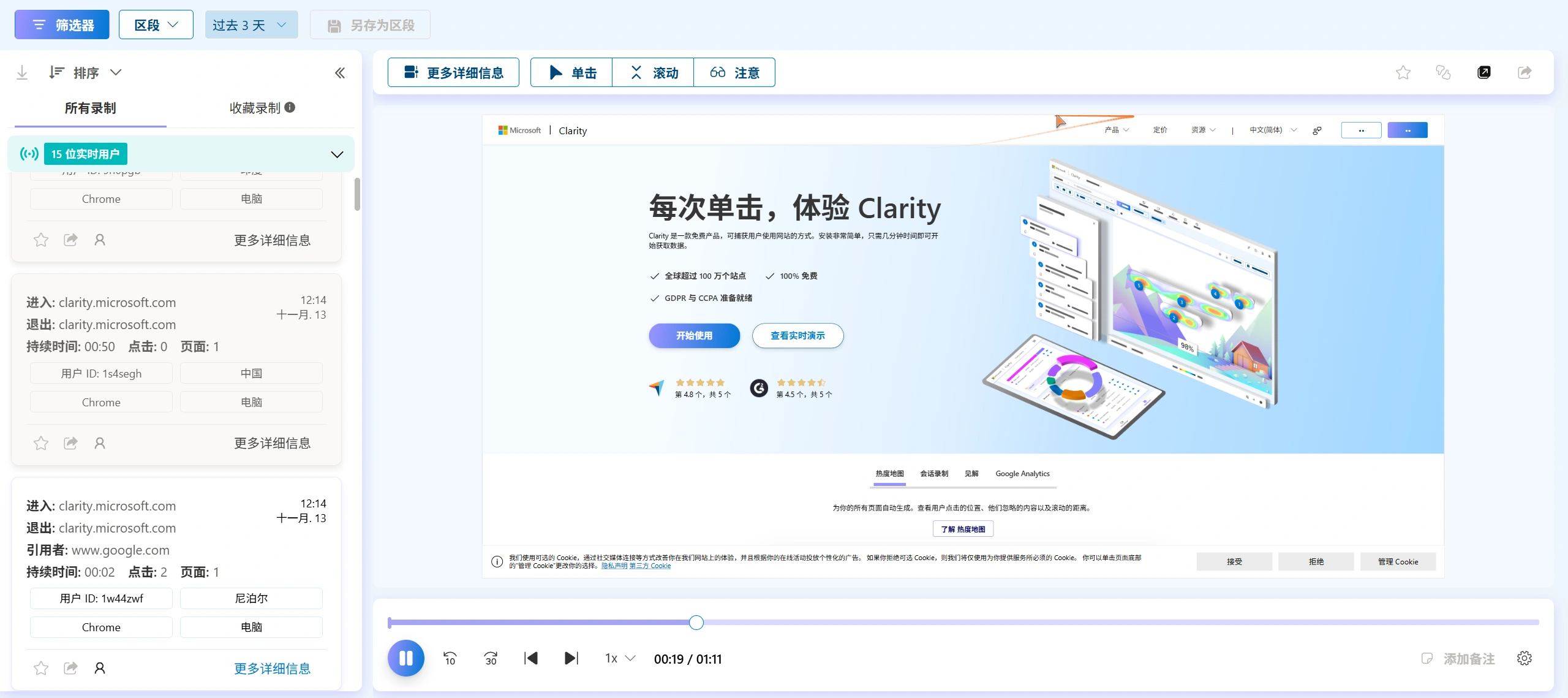
- What can you find out?
- User card points:Is the user clicking repeatedly on a button but getting no response? (This may be an invalid click or a bug)
- Form Abandonment:At what point in filling out the form did the user give up? Are there too many fields or are the options unclear?
- Navigational Confusion:Is the user switching back and forth between menus like a clueless person who can't find the information they need?
- Highlights:How do high intent users successfully complete a purchase or registration? The process can be optimized and this model can be replicated.
- Functionality Profile:Clarity records the complete actions of real users on your site, including mouse movements, clicks, scrolling, and typing content (sensitive information such as passwords are automatically blocked).
- Heat map - see at a glance the distribution of attention on the page
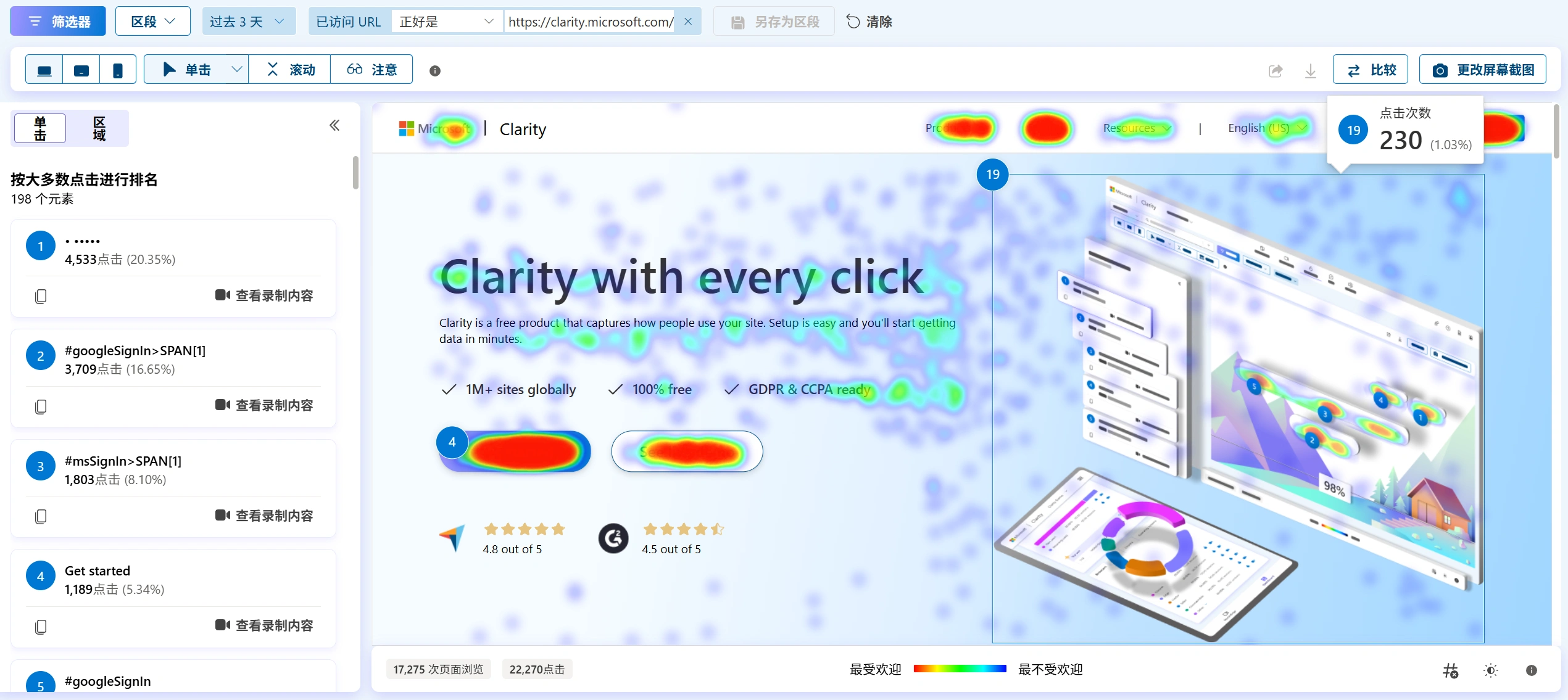
- Functionality Profile:Heatmaps show users' clicking and scrolling behavior aggregated by color overlays (red for high attention, blue for low attention).
- Click on the heat map:Show the areas that users click on most often. You'll notice that users often click on text or images that aren't links as if they were buttons, revealing strong user intent and potential points for design improvement.
- Rolling heat map:Shows the exposure of the content on the page. It tells you how many users have scrolled to the bottom of the page, and helps you determine whether “important content is being seen by enough users”.
- Intelligent Insights - automatically help you identify problems and opportunitiesThis is the “brain” of Clarity, which automatically analyzes massive amounts of session data and flags unusual behavior for you:
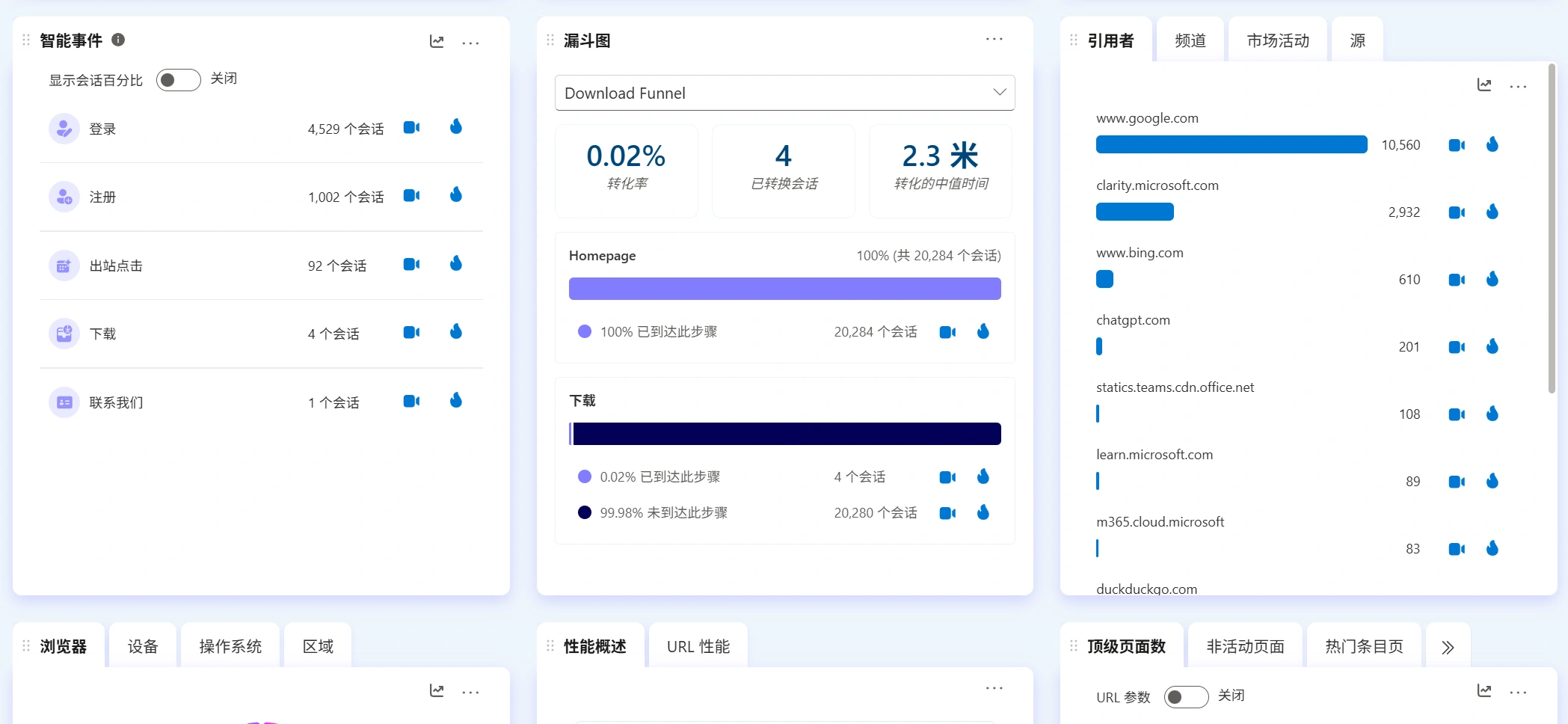
- Invalid click:Recognize user clicks in non-clickable areas, which often means that the UI design is misleading or frustrating to the user.
- Back up fast:A user who enters a page and leaves quickly may indicate that the page content is not what was expected or that the loading experience was poor.
- Deadline scrolling:Users scrolling frantically through pages may be desperately looking for some information but can't find it.
- Intent to categorize:Automatically categorizes conversations into “low, medium and high” intent, allowing you to quickly focus on high potential user groups.
Why should you try Clarity right away?

- Totally free, no hidden costs:This is the biggest advantage. You can add it to any project without burden and enjoy the full functionality of the core, theCheck out the free page introduction on the official website。
- Easy to install, five minutes to get started:Just insert a simple piece of JavaScript code in the header of your website, just like installing Google Analytics. It also has official integration plugins with platforms like Google Analytics 4 and WordPress.
- Privacy:Clarity blurs personal information entered by users by default, in compliance with data privacy norms.
- Seamless integration with the Microsoft ecosystem:If you're using Microsoft Advertising, Clarity can provide insights directly to help you optimize your ad delivery.
- Say goodbye to guesswork with data-driven decisions:Whether it's optimizing web design, repositioning buttons, improving copy, or fixing bugs, every decision you make will be based on real evidence of user behavior, not personal guesses or “I think.
Real-world examples: How does Clarity solve real problems?
- Question:The “Add to Cart” button on a product page has a low click-through rate.
- Traditional analysis:GA4 The data shows a low click-through rate, but I don't know why.
- Clarity Analysis:
- Check out the heat map:It was found that there were very few clicks on the button area, but an unusually high number of clicks on a paragraph of descriptive text above the button.
- View session recordings:Observe multiple users trying to click on that text thinking it is a clickable link (e.g. pointing to product details).
- Solution:Make that description a clickable link to more detailed information, or just make the “add to cart” button more visible and directional.
- Results:Button clicks and eventual conversions are boosted.
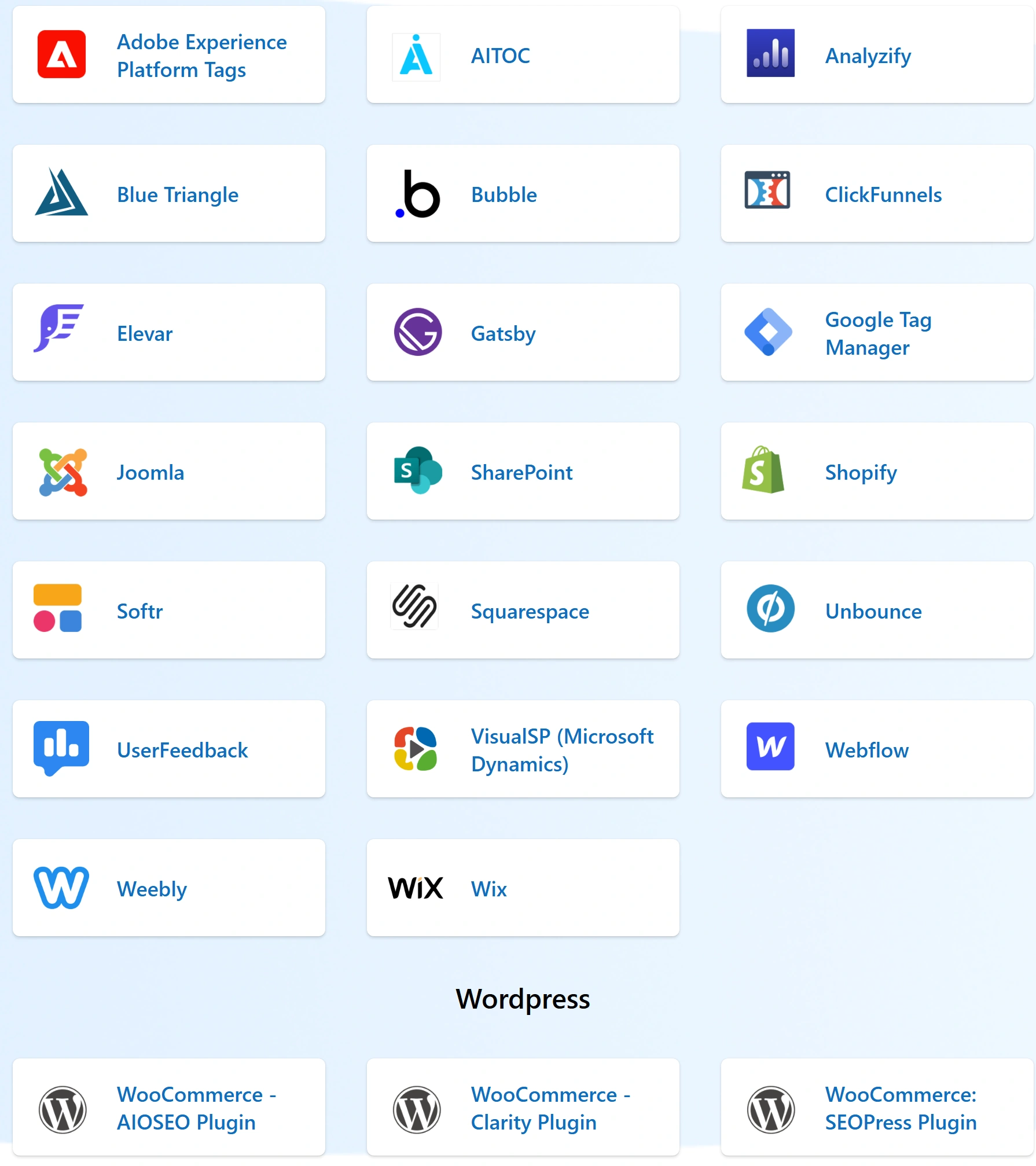
Clarity integrates with dozens of third-party platforms
How do I start the installation?
- Visit the official website:leave for https://clarity.microsoft.com/
- Register for an account:Use your Microsoft account (Outlook/Hotmail email) or GitHub account to quickly sign in.
- Create a project:Click “New Project” and enter your website name and URL.
- Installation Code:Copy and paste the generated tracking code into each page of your website's
<head>Tagged within. - Wait for the data to converge:Just wait a few hours for Clarity to start collecting data and you're ready to explore valuable user insights!
- WordPress Installation: WordPress can be searched in the backend plugin center of the site Microsoft Clarity One-Click Integration
concluding remarks
friendly reminder
In a world where user experience is paramount, understanding user behavior is no longer optional, it's mandatory. With its powerful features, intuitive presentation, and irresistible free strategy, Microsoft Clarity opens a window into the minds of users for all website owners, product managers, designers, and marketers.
Stop guessing about your users. Try Clarity now and start reallyunderstand what one is reading or watchingYour users, drive your website and business growth with hard evidence!


 English