











Website speed is a key factor that affects user experience and search engine ranking -- if the loading time is more than 3 seconds, users with 50% or above will close the page directly; and a fast website not only enhances the user's stay time, but also gets search engine ranking points. If you want to optimize the speed of your website, the first step is to "find the problem", and professional speed measurement tools can help you pinpoint the bottleneck. In this section, we will introduce two speed measurement tools for beginners: itdog (focus on domestic access) and GTmetrix (global performance analysis), and teach you how to use them to quickly diagnose website speed problems.
First, why should we test website speed? First understand the core meaning
Before optimizing, it is important to be clear: detecting speed is not about looking at a 'number', but about getting 'optimization direction'. For example.
- Is the website opening slowly because the images are too big? Or is the server response delayed?
- Fast access for domestic users but can't open for overseas users?
- It shows up fine on the computer, but loads laggy on the phone?
All these questions need to be answered by the data analysis of the speed measurement tool. For newbies, there is no need to understand all the technical details, just focus on the 'key metrics' and 'optimization suggestions' to target the problem.
II. Tool 1: itdog (preferred by domestic webmasters, focusing on local access)
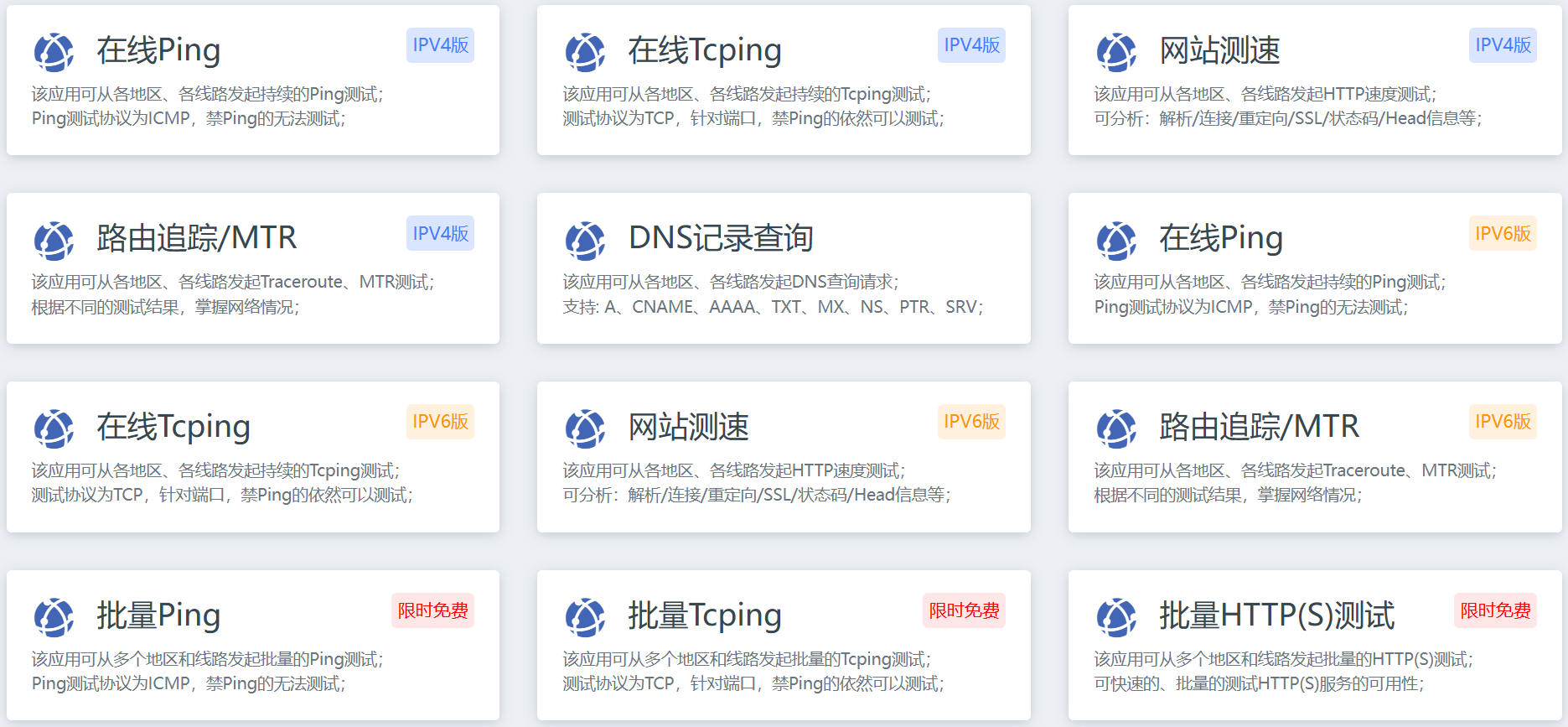
itdog (Chinese name "Webmaster Tools") is one of the most commonly used speed measurement tools in China, the advantages areCoverage of all major carriers and regions in mainland China, which can accurately reflect the real visiting experience of domestic users. If the main users of your website are domestic visitors, give priority to using it to detect.
1. Basic information
- Official website address:https.//www.itdog.cn(No registration required, free access to core features)
- Applicable Scenarios: Test the access speed of different regions and carriers (Telecom / Unicom / Mobile) in China, and troubleshoot problems such as "some users can't open the website" and "regional lagging".
- Core Advantages: The data is close to the actual network environment in China, easy to operate and the results are intuitive.
2. Core functionality and steps for use (a must for novices)
Step 1: Select "HTTP Speed Test" tool
Open the itdog website and click on "HTTP Speed Test" in the top navigation bar (or find the tool's entry on the home page). This is the best feature for newbies - it directly tests a web page from the time it is requested to the time it is fully loaded.
Step 2: Enter the URL and select the test parameters

- In the "Test URL" input box, fill in the address of the homepage of your website (e.g. https://example.com(HTTPS addresses are recommended).
- "Test Node": Check "All" by default (covering 30+ regions and carriers in China, such as Beijing Telecom, Shanghai Unicom, Guangzhou Mobile, etc.), no need to change for newbies.
- "Test Options: Leave the default (check "Test Full HTML" and "Show Details") and click "Start Test".
Step 3: Interpreting test results (focus on 3 pieces of information)
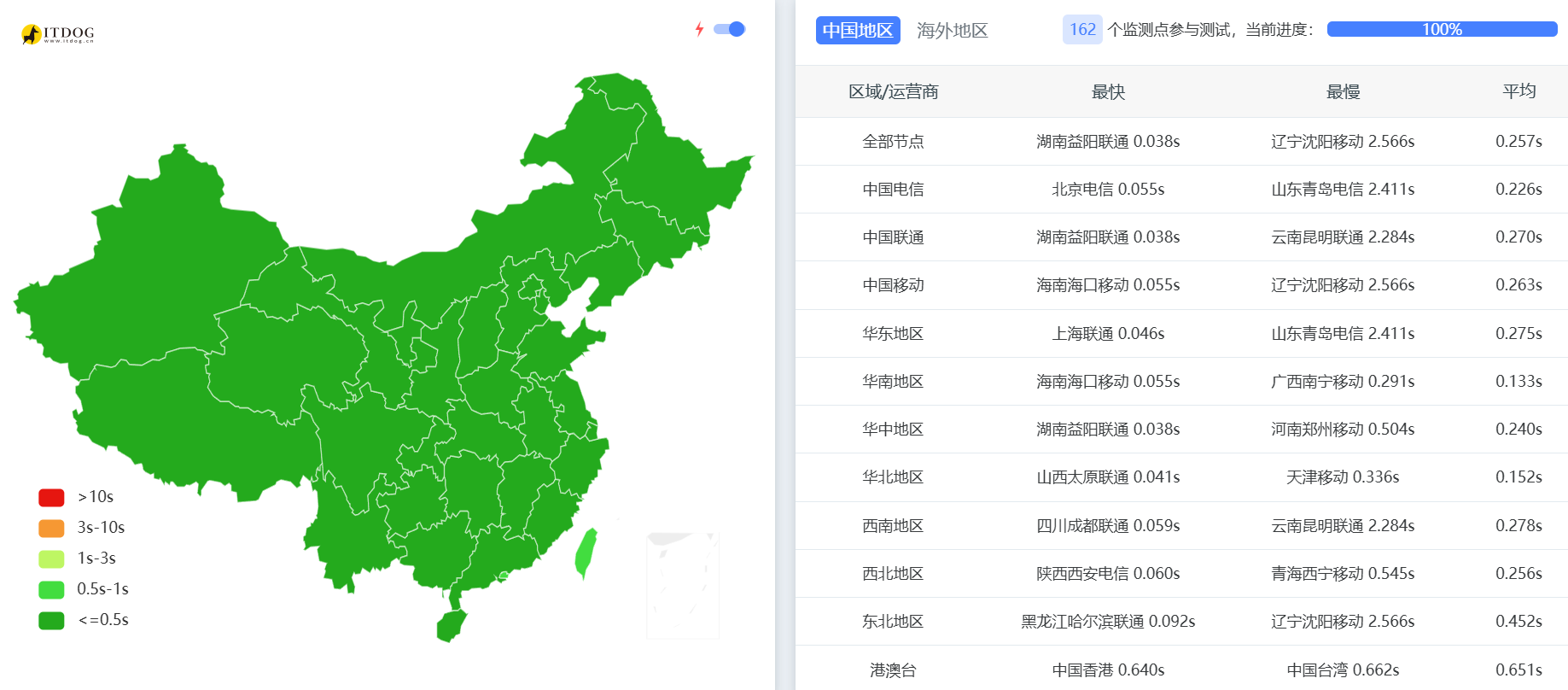
After the test is completed, the page will display the loading results of all the nodes (green means normal, red means abnormal), newbies do not need to read them one by one, focus on the following 3 points.
- Overall loading time
Each test node will display "total time" (e.g., "1.2s", "3.5s"), and the loading time in mainstream domestic regions (e.g., Beijing, Shanghai, Guangzhou) should be controlled within 3 seconds, and more than 5 seconds indicates that there is an obvious problem.
- Key Stage Time Consumption
Click on "Details" of any node to see the subdivided stages of the loading process.
- "DNS Resolution": Normal should be within 100ms (If it is more than 500ms, the domain name resolution may be unstable, it is recommended to change the DNS service provider).
- "Connection Establishment": Normal should be within 200ms (if it is more than 1s, it may be due to the poor network coverage of the server in the region, it is recommended to change the server or use CDN).
- "Content loading": accounts for most of the total time (if it is too long, it may be that the resources such as images and videos are too large and the file size needs to be optimized).
- Abnormal Node Troubleshooting
If the nodes of a certain operator (e.g. Unicom) or region (e.g. western provinces) generally show red (loading failure or timeout), it means that there may be problems for users in that region to access your website, and you need to contact your server provider to optimize the line.
3. Other useful functions (to be tried by novices)
- Multi-location Ping Test: Check the network connectivity of the server (search for "Ping test" on the homepage and enter the domain name), if the packet loss rate exceeds 5%, it means that the server has poor stability.
- DNS Queries: Check to see if the domain name is resolved correctly (after entering the domain name, you can see the IP addresses returned by different DNS servers, make sure they are consistent with your server's IP).
III. Tool 2: GTmetrix (global performance analysis, professional optimization guide)
GTmetrix is a globally recognized performance analysis tool with the following advantagesProvide professional performance scores and specific optimization recommendationsIt can not only tell you "slow speed", but also clearly tell you "what to change". Suitable for newbies who need to deeply optimize the performance of their website, or whose website has overseas users.

1. Basic information
- Official website address:httP.S.://www.gtmetrix.com(The free version is good enough for newbies, and you can save a test record after registering)
- Applicable Scenarios: Analyze website performance bottlenecks (e.g., images not compressed, caching not enabled) and simulate the experience of accessing the site from different regions and devices (mobile/computer) around the world.
- Core Advantages: Combining Google PageSpeed and Web Vitals metrics, it provides down-to-earth optimization steps for newbies to learn speed optimization systematically.
2. Core functionality and steps for use (a must for novices)
Step 1: Enter the URL and select the test configuration
Open the GTmetrix website and fill in the input box with your website address (e.g. https://example.comIf you want to adjust the configuration of your site, you can click "Settings" before clicking "Test your site" (the default setting is recommended for newbies).
- Test Location: Select the test node (free version can select North America, Europe, Asia-Pacific part of the region, such as "Hong Kong" is suitable for testing the speed of Asia-oriented).
- Browser: Select the test browser (default "Chrome", which is consistent with most users' browsers).
- Device: Choose either "Desktop" (computer) or "Mobile" (cell phone), both devices are recommended for testing.
Step 2: Interpret the test results (focus on the 4 sections)
Once the test is completed, a detailed report is generated. Newbies do not need to focus on all the data, but focus on the following 4 core sections.
- Overall Performance Score (Grade & Score)
Two ratings (on a scale of A-F, with A being the best) are displayed at the top of the page.
- Performance Score: Comprehensive performance score (based on loading speed, resource optimization, etc.), with a goal of at least a "B" (70 or higher) for newbies.
- Structure Score: Structural Optimization Score (based on code specifications, cache settings, etc.), with a goal of at least an 'A' (90+ points) for novices.
- Core Web metrics (Web Vitals)
This is a key indicator for Google to judge the user experience of a website, which directly affects the SEO ranking and needs to be focused on.
- LCP (maximum content plotting): A measure of how long it takes for the main content of a page to load, with a passing mark of "2.5 seconds or less" (in green). If the timeout is exceeded, the first screen image is too big or the server response is slow.
- TBT (Total Blocking Time): A measure of the latency of page interactions, with a passing mark of "less than 100 milliseconds" (green). If the timeout is exceeded, the JavaScript file may not be optimized and needs to be compressed or delayed loading.
- CLS (Cumulative Layout Offset): Measure the stability of the page layout (to avoid sudden jumping of elements), the passing standard is "within 0.1" (green). If the standard is exceeded, the width and height attributes of the image may not be set.
- Waterfall
Visualize the loading order and time consumed for each resource (image, CSS, JS, etc.) in the page. Beginners can determine the problem by color.
- Red resources: loading time is too long (e.g. more than 2 seconds for an image), file size needs to be optimized.
- Yellow resources: there is a caching problem (browser caching is not enabled), you need to set up caching via a plugin (refer to section 23.3).
- Optimization Recommendations
This is the most useful part of GTmetrix! Specific optimization steps will be listed, and each suggestion is labeled with "Priority" (High/Medium/Low) and "Time Saving", so that newbies can execute them from high to low according to the priority.
- High: Must be optimized, e.g. "Compress Images" "Enable Browser Cache" "Compress CSS/JS files".
- Medium priority (Medium): optimizations such as "reduce redirects" and "delay loading of non-first-screen images" are recommended.
- Low: Optional optimizations such as "Remove unused CSS" (newbies can ignore this for now).
3. Tips for newcomers
- comparison test: After each optimization (e.g., compressing images, installing caching plug-ins), re-test with GTmetrix and observe whether the scores and metrics improve to verify the optimization effect.
- Preservation of reports: Test records can be saved after registering an account for easy comparison of performance changes over time.
- Avoid over-optimization: The free version has a limit on the number of tests per day (about 5), so you don't need to test frequently, just optimize 1-2 key issues and then test again.
IV. Frequently Asked Questions and Suggestions for Novice Users
1. The test results of the two tools do not agree, which one should prevail?
- Normal phenomenon! Because the test nodes and network environments are different (itdog focuses on domestic, GTmetrix focuses on global).
- suggestion: Use the tool for the region where the target user is located - itdog for domestic users and GTmetrix for overseas users; and use GTmetrix's optimization recommendations to guide the specific operation.
2. The test result says "slow", but I can access it very fast myself?
- Reason: You may have cached the site content locally, or in the same region as the server.
- Solution: Clear the browser cache (Ctrl+Shift+Delete) when testing, or use GTmetrix to select other regional nodes for testing to simulate the real experience of different users.
3. How to optimize quickly when you can't read the technical jargon?
- No need to delve into the terminology, just follow the tool's 'optimization suggestions'.
- itdog prompts "slow content loading": prioritize image compression (see Section 23.2).
- GTmetrix prompts "Enable Caching": install a caching plugin (such as WP Rocket, see Section 19.4).
- GTmetrix prompts "LCP timeout": optimize first screen image (compress or change to WebP format).
wrap-up
Checking the speed of your website is a prerequisite for optimization, and itdog and GTmetrix each have their own focus: itdog helps you to understand the real access situation of users in China, while GTmetrix provides professional optimization guidelines. Newbies don't need to master all the functions, they just need to remember: use itdog to see the loading time of domestic regions and carriers, and use GTmetrix's "Optimization Suggestions" (High Priority) to land on the concrete operation.
After each optimization, verify the results with tools that gradually bring site load times to less than 3 seconds - this not only improves the user experience, but also builds a solid foundation for SEO rankings.
 English